


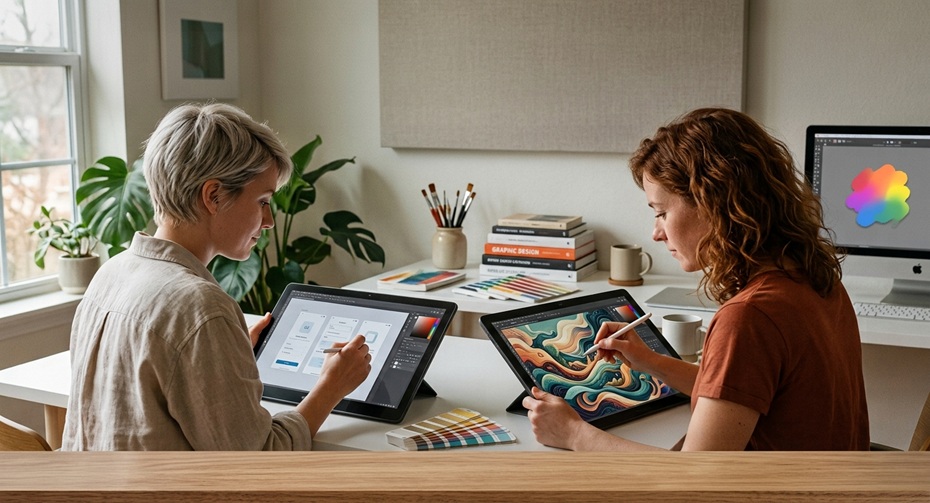
Every creative field goes through a moment where the tools change faster than the habits around them. Digital art hit that moment years ago, and by 2027, the shift feels permanent. Illustrators sketch a rough shape and watch an AI model suggest lighting choices they hadn’t considered. Designers pull mockups together in minutes instead of days. None of this replaces skill, but it does change what a normal workday looks like.
The numbers back this up. The AI image generation market crossed $12 to $15 billion in 2026 and keeps growing at roughly 34% a year, with over 30 billion AI images generated since 2022 alone. Even more telling, 76% of graphic designers now use some form of AI image tool in their process, and that number keeps climbing heading into 2027. This isn’t a fringe trend anymore. It’s how a large chunk of the creative industry actually works.
So which tools are worth an artist’s time this year? We tested, compared, and ranked the seven that deliver real value, not just hype. Some are built for speed. Others reward patience and control. A few sit quietly in the background of tools you already use. Here’s the full breakdown, along with the honest trade-offs nobody puts in the marketing copy.
1. Adobe Firefly (Inside Photoshop)
Adobe took a different approach than most AI companies. Instead of building a separate app, it wove generative tools directly into Photoshop, the software millions of designers already know. That decision paid off.
Firefly’s Generative Fill and Generative Expand let you select part of an image and describe what should appear there. The AI blends new content into existing lighting, texture, and perspective. For designers doing product mockups or background cleanup, this cuts hours of manual work down to minutes.
Standout features:
- Generative Fill and Expand work directly inside your existing layers
- Trained primarily on licensed and public domain content, which lowers copyright risk for commercial projects
- Text effects tool turns typography into textured, styled art without leaving Photoshop
- Vector recoloring in Illustrator applies AI color palettes to existing artwork instantly
The hidden strength here is licensing peace of mind. Many studios avoid AI tools because of unclear training data sources. Adobe’s commercial terms give agencies and freelancers more confidence when a client asks where the image came from.
The drawback shows up in creative range. Firefly plays it safe. Outputs tend toward polished, commercial-looking results rather than bold or experimental styles. Artists chasing something stranger or more painterly often end up frustrated and switch tools halfway through a project.
2. Midjourney
Midjourney remains the tool most artists mention first, and for good reason. Its aesthetic sense is still unmatched. Feed it a rough idea and it returns images with genuine mood, lighting, and composition instead of flat, generic renders.
By 2027, Midjourney has moved well past its old Discord-only setup into a proper web app with node-based editing. Character consistency, once a huge pain point for comic artists and game designers, now holds up across dozens of panels without the face drifting or morphing.
What makes it worth using:
- Strongest raw aesthetic quality among major generators, especially for fantasy, concept art, and editorial style work
- Style Reference and Character Reference tools maintain visual identity across a full project
- Active community feed helps you learn prompting techniques fast, since you can study what worked for other artists
- Upscaling and variation tools let you refine a single concept without starting over
The lesser-known perk is the remix mode, which lets you feed your own sketches into the system as a base rather than starting from pure text. This bridges traditional drawing and AI generation in a way beginners often miss.
On the downside, Midjourney still struggles with precise text rendering and exact anatomical accuracy, especially with hands and complex poses. Fine control over composition also takes longer to learn than competitors with node-based interfaces.
3. Stable Diffusion (via ComfyUI or Automatic1111)
If Midjourney is about ease and beauty, Stable Diffusion is about control. This open-source model runs locally on your own machine, which matters more than it sounds. No subscription, no content filters dictated by a corporate policy, and no images sitting on someone else’s server.
Artists who want full creative authority gravitate here. You can train custom models on your own art style, adjust every parameter, and combine dozens of community-made add-ons for specific effects.
Working with Stable Diffusion usually means learning one of two interfaces:
- Automatic1111, the long-running, beginner-friendlier option with a huge plugin ecosystem
- ComfyUI, a node-based workflow builder that gives advanced users granular control over every generation step
The hidden aspect most newcomers miss is LoRA training. With a modest set of your own artwork, roughly twenty to fifty images, you can train a small model that replicates your personal style. This turns the AI into an extension of your hand rather than a replacement for it.
The catch is setup difficulty. Stable Diffusion demands a capable graphics card and comfort with technical configuration. It rewards patience but punishes anyone expecting an instant, polished result on the first try.
4. Krita with AI Diffusion Plugin
This one flies under the radar, and that’s a shame, because it might be the best fit for traditional artists easing into AI. Krita is a free, open-source painting program already loved for its brush engine. The AI Diffusion plugin adds generative fill, style transfer, and live painting assistance right inside the canvas.
The magic here is the live mode. As you paint rough shapes and colors, the AI refines them into a finished image in real time, adjusting as you keep working. It feels less like typing a prompt and more like collaborating with a fast assistant who never gets tired.
Why artists are switching to it:
- Combines traditional brush painting with generative refinement in one workspace
- Runs on your own hardware, so there are no recurring fees once it’s set up
- Keeps you in control of composition since you paint the base structure yourself
- Supports the same Stable Diffusion models used elsewhere, so your custom LoRAs carry over
Because it demands the same local setup as Stable Diffusion, casual users may find the installation process intimidating. It also lacks the built-in community and prompt-sharing culture that makes Midjourney easier to learn quickly.
5. Leonardo AI
Leonardo built its reputation on game asset generation, and that focus still shows. It gives designers fine-tuned models for specific needs: icons, textures, character sheets, environment concepts, and more, each trained for that exact use case rather than general images.
Where Leonardo pulls ahead is its balance of accessibility and precision. It offers a friendlier interface than Stable Diffusion while giving more technical control than Midjourney, including canvas editing, motion generation, and real-time canvas painting similar to Krita’s live mode.
Practical strengths:
- Pre-trained fine-tuned models for specific art styles, from anime to photorealism to isometric game assets
- Real-time canvas lets you sketch and watch the AI build on your strokes instantly
- Universal upscaler improves resolution without softening detail
- Motion tool animates static images into short looping clips, useful for social content and pitch decks
The lesser-known benefit is its asset consistency across a batch. Studios producing dozens of game icons or UI elements use Leonardo to keep a cohesive style across an entire set, something harder to achieve manually one image at a time.
The drawback is that Leonardo’s free tier moves slower than paid competitors, and its most specialized models require some trial and error before you land on the exact one suited to your project.
6. Ideogram
Text inside AI-generated images used to be a running joke, all garbled letters and nonsense symbols. Ideogram solved that problem better than almost anyone else. It renders clean, accurate typography inside generated scenes, which makes it the go-to for logo concepts, posters, and packaging mockups.
Designers pitching early concepts to clients lean on Ideogram because it produces layout-ready visuals with legible text baked directly into the composition, saving a separate typography pass in another program.
Where it shines:
- Accurate text rendering inside generated images, rare among competitors
- Magic Prompt feature expands short descriptions into detailed, structured prompts automatically
- Strong at poster, packaging, and branding mockups where typography matters
- Remix tool lets you upload an existing design and regenerate variations around it
A quieter advantage is its usefulness for early-stage branding work. Instead of mocking up a logo by hand just to test an idea with a client, designers generate several concepts with working text in minutes, then refine the strongest option manually afterward.
The main drawback is artistic range outside of typography-heavy work. For pure illustration or painterly styles, Ideogram tends to look flatter and less textured than Midjourney or Stable Diffusion.
7. Recraft
Recraft rounds out this list because it solves a problem most generators ignore completely: vector output. Nearly every other tool on this list produces raster images, which means designers still have to trace or rebuild artwork to get clean, scalable vectors for logos, icons, and print work.
Recraft generates true vector graphics directly, along with raster images, mockups, and seamless patterns. For designers working in branding, packaging, or UI icon sets, this single feature saves an enormous amount of manual rework.
Notable capabilities:
- Native vector generation, exportable as SVG files ready for Illustrator or Figma
- Built-in style library keeps a consistent visual identity across an entire icon or illustration set
- Background removal and mockup generation built into the same workspace
- Color palette locking ensures every generated asset matches existing brand guidelines
The hidden value here is speed for icon libraries. Instead of designing forty app icons by hand, a designer can generate a base style, lock the palette, and produce the full set with far less manual tracing.
The limitation is depth of stylistic range for illustration work. Recraft excels at clean, geometric, brand-friendly visuals, but it isn’t the tool for painterly, textured, or hyper-detailed concept art.
Turning Human Art Into AI Style, and AI Art Back Into Human Work
A lot of artists ask a fair question: can these tools work with existing artwork instead of only generating from scratch? The answer is yes, in both directions.
To turn a human painting or sketch into an AI-enhanced piece, most tools support image-to-image generation. You upload your original drawing, set a “strength” value that controls how much the AI can change, and it builds a new version that keeps your composition while adding refined detail, lighting, or a different style. Krita and Stable Diffusion handle this particularly well, since you control exactly how much of your original hand remains visible in the final result.
Going the other direction, from AI-generated art into something that reads as handmade, takes more deliberate effort:
- Print the AI image and physically repaint sections with real brushes, ink, or pencil to reintroduce visible texture and imperfection
- Use the AI output only as an underpainting or value study, then rebuild the final piece by hand on top of it
- Import the image into Procreate or Photoshop and layer traditional brush textures over flat AI-smooth areas
- Add deliberate asymmetry and small “mistakes” by hand, since AI art tends toward unnatural perfection that trained eyes notice quickly
- Scan hand-drawn texture sheets, like paper grain or canvas weave, and blend them into the digital file for authentic depth
Neither direction is cheating. Artists have blended tools and mediums for centuries, from photography references to digital brushes that mimic oil paint. AI is simply the newest addition to that toolbox, and how you use it says more about your process than which button you clicked.
Final Thoughts
No single tool on this list wins every category, and that’s the honest takeaway. Adobe Firefly fits designers who need commercial safety inside an existing workflow. Midjourney still leads on raw aesthetic quality. Stable Diffusion and Krita reward anyone who wants full local control. Leonardo balances speed and precision for game and product work. Ideogram solves the typography problem nobody else cracked. Recraft hands designers clean vectors instead of another raster file to trace by hand.
The best approach for most artists in 2027 isn’t picking one tool and sticking with it forever. It’s understanding what each one does well, then reaching for the right one depending on the job in front of you. That flexibility, more than any single feature, is what separates artists who use AI well from those who feel replaced by it.
