


Looking for the best VPNs that still work in Russia despite the latest crackdown by Roskomnadzor? This article is worth a careful read.
VPN access in Russia is an ongoing back-and-forth between users and the restrictions imposed on them. Even after approaching a VPN service in Russia, there is no guarantee that they will still work. Based on available data, Roskomnadzor restricted 197+ VPN services in 2024, and the figure increased to about 469 in mid-2026. Indeed, Roskomnadzor uses AI-driven systems and TSPU (technical means of countering threats), including DPI-based filtering, to block advanced VPN protocols.
Although restrictions exist, but they don’t completely stop users in Russia from reaching blocked platforms. Yes, there are still reliable VPNs that work in Russia despite ongoing crackdowns. In this article, we’ll cover not only the best VPNs for Russia, but also reliable alternatives you can use if VPNs stop working.
Top 6 VPNs That Still Work in Russia (2026 Updated)
We recently received a notice from Roskomnadzor regarding our previous VPN article, but we’re continuing to publish this guide for our readers in Russia because we believe everyone deserves open access to the internet. So, whether you are heading to Russia or already living there and reading this post, this guide can help you get around national firewalls and blocked content.
1. ExpressVPN
Since the beginning of 2026, Roskomnadzor has frequently blocked VPN services, especially foreign ones. Despite restrictions, ExpressVPN remains one of the VPNs that continue to operate in Russia. Although ExpressVPN does not fully disclose how it bypasses censorship in Moscow, it is widely understood to rely on a combination of advanced technologies to operate in heavily restricted environments.
Indeed, ExpressVPN uses automatic obfuscation to reduce the impact of Deep Packet Inspection (DPI) and continuously switches routing paths. Backed by RAM-only servers, TLS encryption, and dynamic server rotation, it helps users in Russia stay connected to platforms like Netflix, Telegram, YouTube, Facebook, Instagram, and X with fewer interruptions. Another strong point of ExpressVPN is its TrustedServer infrastructure along with the Lightway protocol.
In terms of compatibility, ExpressVPN supports Windows, macOS, Fire TV Stick, Android, iOS, Apple TV, Linux, Android TV, and routers.
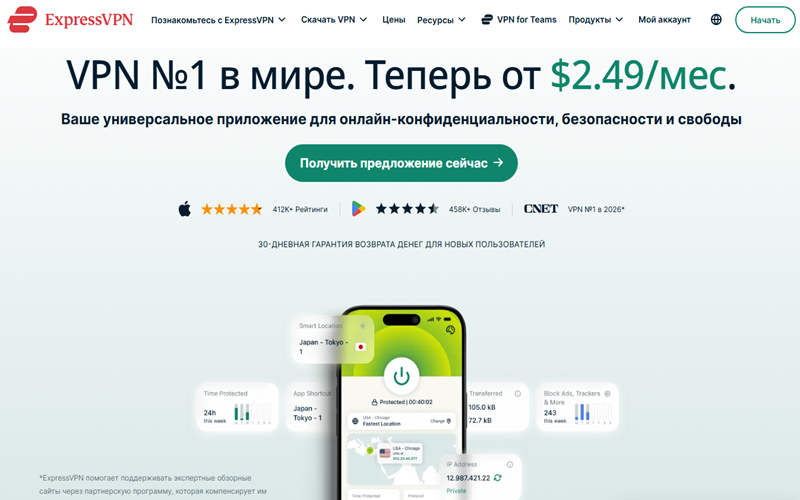
Is it Free: ExpressVPN does not offer a completely free plan, but its subscription delivers strong performance for accessing restricted environments such as Russia. The basic 2-year plan is priced at $2.49 per month, plus 4 bonus months, and offers 10 simultaneous connections, built-in speed testing, and access to servers in 105 countries.
Link: You can access ExpressVPN’s official website here.
2. Amnezia VPN (especially self-hosted setups)
If you think big names like NordVPN, or Surfshark are the most effective VPNs in Russia, you are mistaken. The reality on the ground is very different. At the moment, Amnezia stands out as one of the most reliable self-hosted VPN solutions in Russia. Since its launch in 2020, AmneziaVPN has grown into an open-source platform offering three plans: Free, Premium, and Self-Hosted. Following Roskomnadzor’s recent crackdown on VPNs, the Amnezia self-hosted option stands out as the most reliable choice.
To stay flexible, this VPN uses several protocols, including OpenVPN, WireGuard, OpenVPN over Cloak, Shadowsocks, IKEv2/IPsec, and XRay (VLESS + Reality). For most users in Russia and Iran, AmneziaWG has become the go-to protocol due to its consistent performance. At its core, it is WireGuard with a disguise. Amnezia WireGuard reshapes packet headers, blends in random data, and throws in junk traffic to keep DPI systems guessing. Because of that, firewalls have much more difficulty spotting and blocking it.
The presence of a kill switch feature and seamless VPN sharing across other devices are additional functionalities of Amnezia. When it comes to compatibility, Amnezia supports Linux, Windows, Android, iOS and macOS.
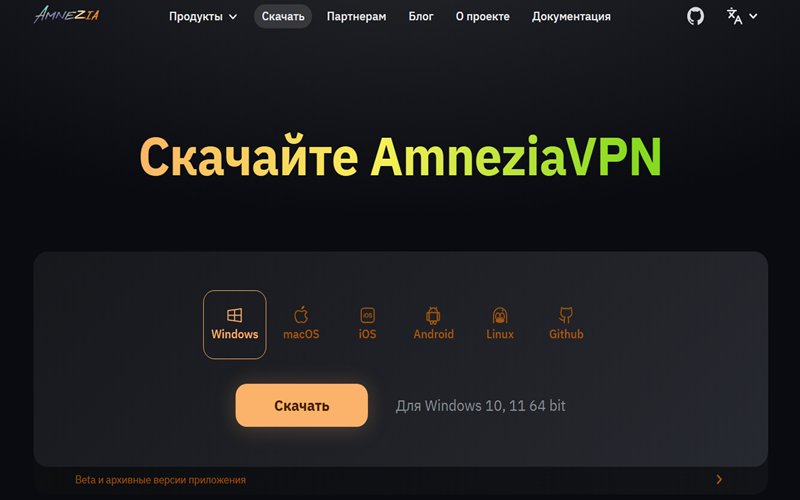
Is it Free: While Amnezia’s free plan provides quick access to popular sites and apps, the Premium version costs $4 per month. The real value lies in the self-hosted option, which is free to use and has costs limited to your rented server or VPS.
Mirror Link: Use this mirror link if the official site doesn’t work for you
GitHub Link: Amnezia Client GitHub Link
How to Set Up a Self-Hosted VPN with Amnezia?
Let’s go through the steps for setting up a self-hosted VPN:
a. Download Amnezia VPN compatible with your device
The first step is to download the VPN version that matches your device. For Windows users, the application supports both Windows 10 and Windows 11 on 64-bit systems. You can use the provided mirror link or GitHub page to download the app on your device. For Android users, the good news is that Amnezia VPN is already available on the Play Store.
For iOS devices, you may need to install it via the GitHub package, but make sure you select the correct version for your device. Although some users claim that an app named “Default VPN” on the App Store is linked to Amnezia VPN, its authenticity for self-hosted use remains uncertain.
b. Select Self-Hosted VPN
In the second step, click “Self-Hosted VPN” on the connection screen, then proceed to server configuration. The next step is to add your server details, including the IP address and SSH credentials, if you have a VPS.
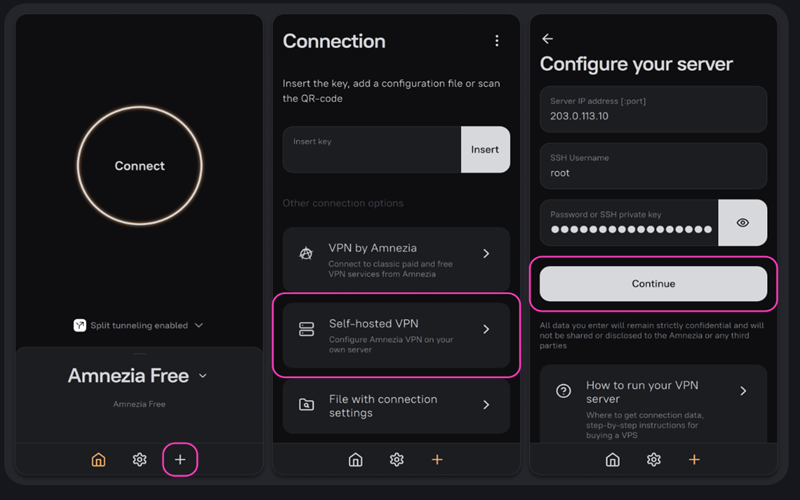
If a VPS isn’t set up on your end, you can move ahead to the next stage.
c. Buy and set up a VPS (if you don’t already have one).
You will find many VPS hosting services for VPN setups, but choosing trusted providers like DigitalOcean, Amazon Web Services, Amnezia Hosting, or is*hosting is usually a safer option if you can pay using foreign cards. The monthly cost of these VPS servers typically ranges from $4 to $10, but most of them don’t support Russian payment methods.
Fornex provides scalable VPS solutions and supports local payment methods such as MIR, ЮMoney, and SBP, as well as crypto payments. A more practical choice would be PrivateAlps, RUVDS, VDSina, and FirstVDS. They offer stable VPN performance, affordable pricing (139–300 RUB/month), and local payment options.
Note: It is not recommended to use Reg.ru or Yandex Cloud servers to run Amnezia VPN.
Minimum VPS System Requirements
| Component | Requirement |
|---|---|
| Operating System | Linux (recommended: Ubuntu 22.04 or Debian 11) |
| CPU Architecture | x86-64 (64-bit) |
| Virtualization | KVM |
| IP Address | IPv4 support required |
| RAM | Minimum 1 GB (2 GB recommended for stable performance) |
d. Choose Internet Control & Install
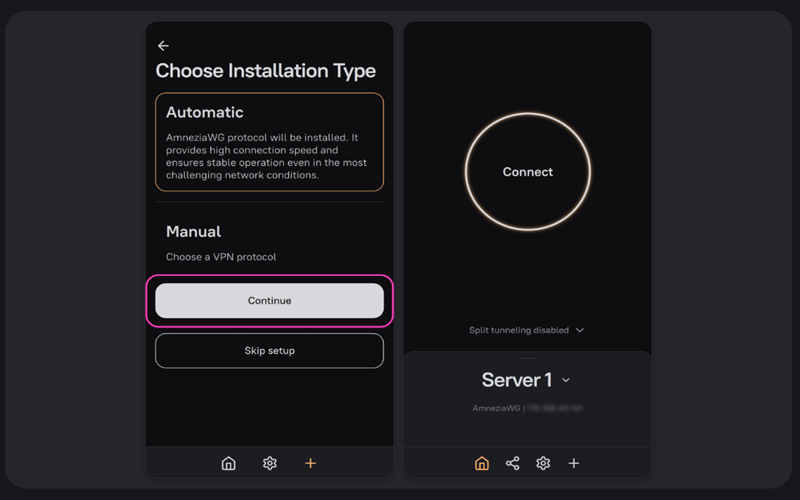
Once your VPS account is ready and you have the server IP, username, and password, you can move forward. The VPN will prompt you to choose the level of internet control for your region. For Russia, where restrictions are strong, choose “High” and proceed with installation. You can now switch to “server1” instead of AmneziaPro and select AmneziaWG as the protocol. Later, you can also install additional protocols, such as XRay, for an additional layer of security. Tapping the share icon also lets you share the VPN with family members.
3. VPN Liberty
VPN Liberty is another reliable option for accessing apps like WhatsApp, Telegram, Instagram, and YouTube in Moscow and other parts of Russia. Based in Georgia, this high-performing VPN service uses protocols like VLESS and Shadowsocks to bypass deep packet inspection (DPI). In addition, using modern obfuscation techniques helps you get around VPN blocking systems more easily.
In testing, this VPN performed well across most checks. It works on home ISPs like Beeline Home, Dom.ru, and Rostelecom, as well as mobile networks such as Megafon and Tele2. It is compatible with Windows, macOS, Linux, Android, and iOS.
Is it Free: It is fair to say the era of free VPN services in heavily restricted regions like Iran, Russia, and China has largely changed. Some free VPNs can still work as a backup in emergencies, but they are generally not reliable for consistent use. VPN Liberty costs approximately $6/month, with unlimited bandwidth and support for multiple devices. You can reach out via vpnliberty@icloud.com for full pricing details.
Mirror Link: Use this mirror link and press the button ‘find a mirror’ in blue.
Telegram Channel: You can also download this VPN using this Telegram channel.
4. Psiphon
If you are fed up with traditional VPNs failing to bypass restrictions in your area, it may be time to look beyond standard VPN solutions. Yes, we are referring to Psiphon, an open-source application designed to get around heavy censorship in countries like Russia. Based in Toronto, the company supports more than 3 million weekly users in reaching the open internet.
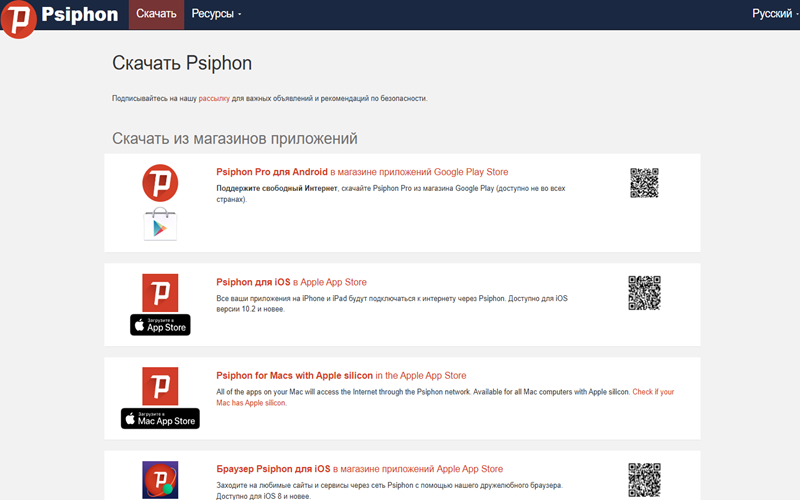
You can use this open-source circumvention tool on Android, iOS, and Windows without any setup. Simply install it and connect to its servers to access blocked content, websites and apps like Telegram. That said, it’s best used for occasional or emergency access. It’s not ideal for streaming on platforms like YouTube or Netflix, or for gaming.
Is it Free: Psiphon is open-source and free to use. You don’t have to proceed with signup or provide any credit card details using this solution.
Mirror Link: Psiphon’s official website is probably blocked in Russia. A practical way to install Psiphon is through a USB transfer or by sending an empty email to get@psiphon3.com.
GitHub Link: Another option is to download or review Psiphon’s code via its GitHub.
5. BlancVPN
Although RKN has been actively restricting many major VPN services, but a recent TechRadar report claims that BlancVPN still works in Russia. Using modern VPN protocols Outline, OpenVPN, VLESS, V2Ray, Shadowsocks, and Wireguard, this open-source VPN service helps you access blocked sites while maintaining strong privacy.
Mainly, if you are specifically looking for a proxy-style solution to access Telegram in Russia, BlancVPN is often considered a strong option. In fact, the platform originally started as a tool focused on restoring Telegram access. Its recent Android update has been significantly updated to comply with the latest restrictions in Russia. The addition of Xray and Xray Extra protocols appears to be quite effective in this regard. When it comes to compatibility, BlancVPN supports Chrome, Windows, macOS, Android, Linux and Smart TV.
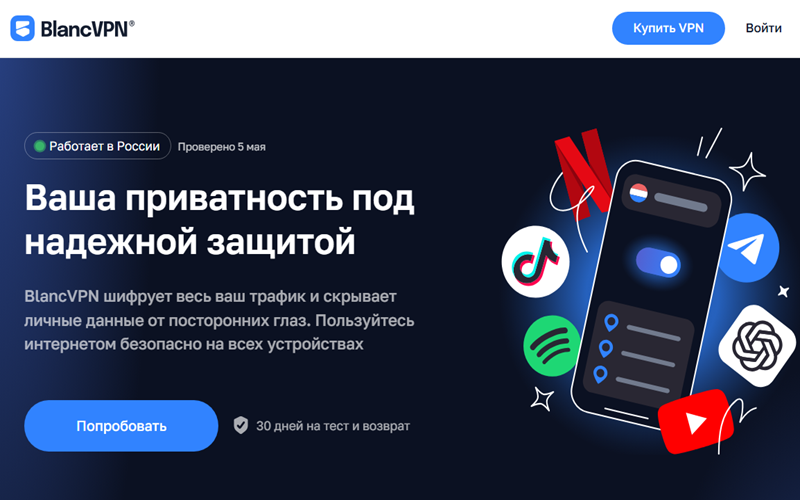
Is it Free: Yes, BlancVPN offers a free plan that includes 10GB of data and access to fewer than 10 server locations. However, due to recent blocks, the free plan isn’t the best choice. The premium version offers higher speeds, access to 50+ server locations, and improved technology for handling restrictions. It’s priced at €7.99 per month.
Mirror Link: The official website is often blocked in Russia, so users typically rely on mirror links to access the VPN. Another option is to use a Telegram bot to download it on your devices.
6. Use an eSIM – An alternative when VPNs don’t work
After the recent crackdown by Roskomnadzor, it’s difficult to guarantee that any VPN, even paid ones, will work reliably in Russia. If a VPN fails to access services like YouTube, Google, Facebook, or Netflix, an alternative option is to use an eSIM from a nearby country.
A common recommendation is to use Kazakhstan-based eSIMs, as they have strong roaming connectivity with Moscow. Some providers you can consider include Kcell, QazConnect, and Beeline Kazakhstan. It’s best to use them as separate connectivity options rather than mixing them with your home internet connection. Alternatively, eSIMs from Georgia and Turkey are also worth considering. In our experience, Airalo is a reliable option for this purpose.
Final Words
In Russia, internet access is increasingly complex, and many free VPNs cannot maintain stable performance as rules keep changing. That’s where self-hosted solutions like Amnezia VPN stand out. They offer more control, improved stability, and a lower risk of sudden blocks since you’re not relying on shared public VPN servers. Services like VPN Liberty can still serve as a quick alternative, but they tend to be less consistent and may not work reliably in all situations.
Alternatively, if a VPN doesn’t work for you, an eSIM from a trusted provider can serve as a reliable backup. They won’t replace a VPN, but they can help keep you connected when other tools fail or slow down. In practice, using multiple solutions together often works better than relying on a single one.
Note: DigitalCruch is not affiliated with any of the services mentioned and does not endorse them. The purpose of this article is solely to provide informational guidance on accessing the open internet in restricted regions. The content is based on research and practical testing.
