


Do you want to browse anonymously, unblock Netflix, Disney+, Hulu, and other streaming platforms, or bypass regional firewalls? If so, a free VPN Chrome extension is the most convenient option. Unlike VPN apps, browser extensions are easy to use, lightweight, and often come with a free tier.
Although there are plenty of free VPN options for Chrome, some can cause lag or expose your data. That’s why choosing a reliable VPN extension is essential for safe browsing. We tested some of the most trustworthy VPN extensions for Chrome users, all available for free.
Note: DigitalCruch.com reviewed these VPN extensions based on speed, number of servers, location coverage, and availability of a free trial. We ordered them based on their performance. We do not promote or partner with any of these VPNs to ensure our review remains unbiased.
Top Free VPNs for Chrome in 2026
Let’s explore the top free Chrome VPN extensions that deliver both speed and data privacy.
1. ExpressVPN
| Feature | Details |
| Download | Install via official ExpressVPN Chrome Extension |
| Server Network | High-speed servers across 105+ countries |
| Coverage | Global IP access across 170+ locations |
| Registration Required | Yes (active ExpressVPN account needed) |
| Best For | Secure browsing, social media, non-stop streaming (Netflix, Disney+, BBC iPlayer), firewall bypass, and gaming |
| Origin | Based in the British Virgin Islands |
| Privacy & Security | AES-256 encryption, WebRTC leak protection, strict no-logs policy, trusted privacy jurisdiction |
| Key Advantage | Built for seamless browser control with instant connection switching and smart routing |
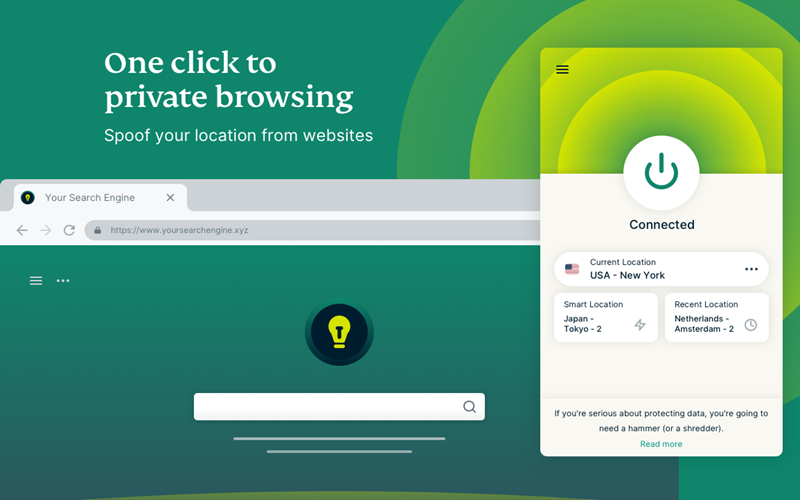
ExpressVPN is an exclusive Chrome extension particularly designed to keep your browsing secure without slowing things down. Based in the British Virgin Islands, ExpressVPN uses lightning-fast servers built for performance. That is why this VPN extension is great for apps like X, Facebook, and Instagram, as well as streaming platforms such as Netflix, BBC iPlayer, Disney+, and even gaming services.
Chrome Extension Features of ExpressVPN
Having surpassed 1 million Chrome extension downloads, ExpressVPN includes a Smart Routing feature, also known as Proxy Mode, that lets users manage how they connect to certain websites. With this feature, you can choose to run certain websites through a VPN server while allowing others to connect normally without a proxy. After the initial setup, everything runs on autopilot whenever you browse online.
Backed by stealth servers across 105 countries, the ExpressVPN extension keeps your IP under wraps with WebRTC leak protection while Lightway Turbo keeps browsing quick and responsive. So, whether you are on public Wi-Fi or streaming 4K videos, you can browse at high speed with a masked IP and better privacy protection from data sharing. Other benefits of ExpressVPN include its no-logs policy, support for up to 14 devices simultaneously, and availability in 170 locations.
Limitations
- While premium VPN Chrome extensions usually perform better than free alternatives, but the absence of free servers is still a downside of ExpressVPN.
2. Browsec
| Feature | Details |
| Download | Download from Chrome Web Store |
| Free Servers | 4–7 |
| Locations (Free) | Germany, Poland, the US, the UK, Latvia, the Netherlands, Singapore |
| Registration Required | No |
| Best For | Browsing, social media, Netflix, Disney+, firewall bypass |
| Origin Country | United States |
| Privacy Quality | WebRTC leak protection, military-grade encryption, US-based, part of Five Eyes, reduces strict privacy potential |
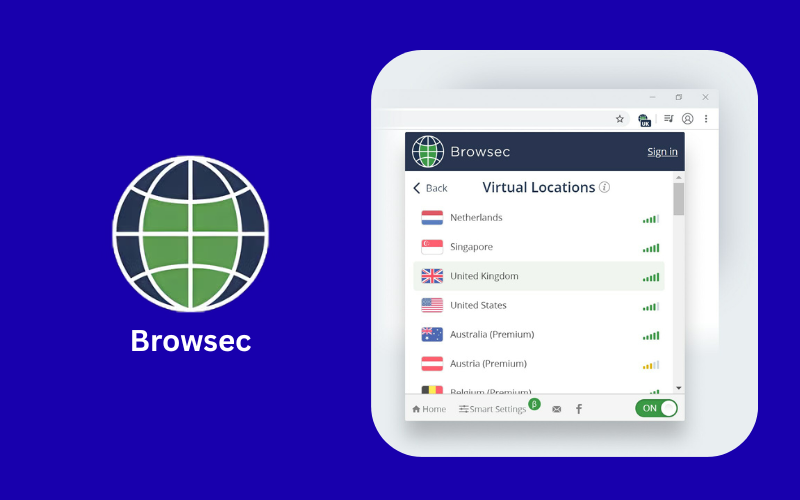
Browsec is a trusted free VPN for Chrome that lets you access social media platforms such as X, Instagram, Facebook, and YouTube, as well as sports streaming services. Similarly, Browsec’s free extension performs well for accessing Netflix and Disney+ in regions with geo-restrictions. This Virginia-based VPN has 8 million users across more than 240 countries and supports Linux, Windows, and macOS.
Free Extension Features of Browsec
Browsec offers a free VPN experience with no registration needed. Just install the Chrome extension and activate the VPN; no sign-up is necessary. It is also among the rare free VPNs that remain ad-free. Here, you get access to 4–7 free server locations worldwide, including Germany, Poland, the US, the UK, Latvia, the Netherlands, and Singapore. Although server availability varies by region, Browsec still lets you manually select your virtual location in just a few clicks.
WebRTC leak protection, military-grade encryption, a strict no-logs policy, and complete anonymity while keeping your IP secure are further highlights of this free Chrome extension. So, Browsec is ideal for both tech-savvy users and beginners, offering secure browsing, access to blocked sites, and firewall bypassing.
Limitations
- Our team found Browsec effective at unblocking sites without affecting regular browsing, but high-definition video streaming and large file downloads may be slower.
- Correspondingly, some drawbacks of Browsec’s free plan include the absence of a kill switch and inconsistent support for torrenting.
- As a US-based VPN in the Five Eyes (FVEY) alliance, Browsec may be required to provide data upon request. No logs are kept, but some metadata could still be visible, reducing its suitability for strict privacy requirements.
3. Proton VPN
| Feature | Details |
| Download | Download from Chrome Web Store |
| Free Servers | 5–10 |
| Locations (Free) | Switzerland, Canada, Japan, Mexico, Norway, Netherlands, US, Poland, Singapore |
| Registration Required | Yes (email) |
| Best For | Privacy-focused browsing, geo-unblocking, secure access |
| Origin Country | Switzerland |
| Privacy Quality | No-logs, military-grade encryption, WebRTC leak protection; strong Swiss privacy laws |
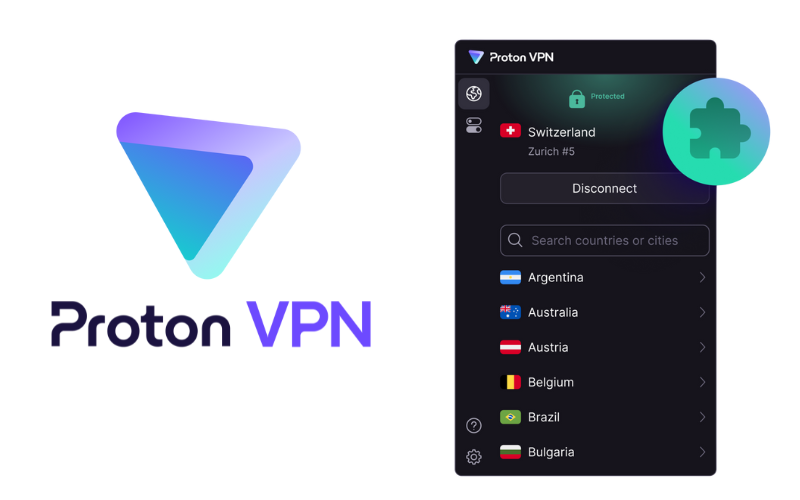
Proton VPN is another solid free VPN for Chrome, backed by a network of over 17400 servers spanning 125 countries. This open-source, Switzerland-based VPN delivers connections up to 400% faster while protecting your privacy. Indeed, Proton VPN operates outside the Five Eyes and Fourteen Eyes alliances and adheres to Swiss law, one of the world’s strongest privacy frameworks.
That is why this free extension lets you bypass geo-restrictions and access websites, online games, and streaming services such as Netflix, HBO Max, and Hulu. In this regard, Proton offers strong compatibility across Linux, Chromebook, Windows, and macOS.
Free Extension Features of Proton VPN
To start using Proton’s free Chrome VPN, install the extension, sign up with your email, enter the activation code, set a password, and log in. Once you open the VPN extension, you’ll find 5 to 10 server locations available under the free plan. Available server locations under the free plan are Switzerland, Canada, Japan, Mexico, Norway, the Netherlands, the US, Poland, and Singapore. However, Proton VPN automatically selects the most optimized server for your connection.
Unlike most free VPNs, Proton does not display ads and doesn’t slow your connection. Yes, it lets you browse anonymously at speeds up to 10 Gbps. Thanks to its no-logs policy, WebRTC leak protection, and military-grade encryption, millions of users in countries like China and Russia trust Proton VPN to access the open internet for free. In addition, Proton VPN’s compliance with Swiss privacy laws keeps thousands of activists and journalists secure worldwide by protecting their information from exposure.
Limitations
- Our team found that with the free plan, you are limited to servers in 5–10 countries, and manual server selection is generally unavailable.
- Torrenting and P2P sharing are only available with paid plans.
- We found that while Proton VPN handles HD YouTube streaming smoothly, the free plan occasionally fails to unblock services such as HBO Max, Prime Video, and Netflix. Additionally, on free servers, the VPN extension may sometimes prevent AI tools such as ChatGPT from functioning.
- The absence of split tunneling and auto-connect features in the free extension also reduces security.
4. SetupVPN
| Feature | Details |
| Download | Download from Chrome Web Store |
| Free Servers | 5 |
| Locations (Free) | Germany, UK, Norway, Netherlands, US |
| Registration Required | Yes |
| Best For | Removing basic blocks, school/work restrictions |
| Origin Country | United States |
| Privacy Quality | 4096-bit encryption, ad-free; US location reduces privacy strength |
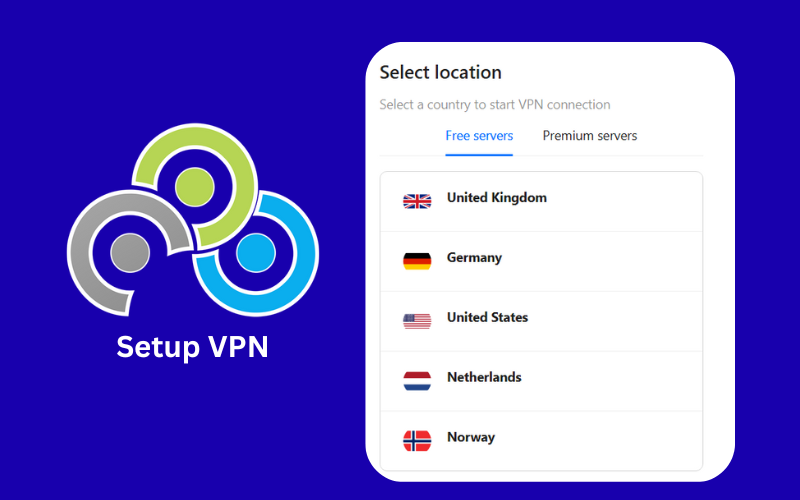
SetupVPN is a Florida-based Chrome VPN that stays free for life and allows access to websites blocked by schools, governments, or offices. Backed by 100 global servers and more than 47.3K Chrome reviews, SetupVPN delivers solid speeds while keeping your IP hidden. You can use it easily across common browsers and operating systems.
Free Extension Features of SetupVPN
When you choose SetupVPN, first install the free Chrome extension, then complete a quick registration. After installation and sign-up, the VPN opens a full tab with 5 free servers, including Germany, the UK, Norway, the Netherlands, and the United States. Just click on a server, and SetupVPN will connect you for 30 minutes. Although it has unlimited bandwidth, but you will need to reconnect after 30 minutes. For added privacy, we recommend installing the WebRTC extension and enabling it while using the free VPN.
An ad-free experience, 4096-bit military-grade encryption, and improved speed for browsing, torrenting, and unblocking sites like Netflix are also key features of SetupVPN.
Limitations
- Some major drawbacks of SetupVPN include limited server locations, inconsistent support for large torrent files, and difficulty accessing streaming platforms like BBC iPlayer, Netflix, and Disney+.
- Although SetupVPN insists it keeps no logs, its US location (within the Five Eyes alliance) may raise privacy concerns. It could result in data being shared with authorities.
- We also found that SetupVPN can leak your IP address due to the lack of built-in WebRTC protection. Additionally, the connection lasts only 30 minutes, which could be frustrating for many users.
5. VeePN
| Feature | Details |
| Download | Download from Chrome Web Store |
| Free Servers | 6 |
| Locations (Free) | France, Netherlands, Russia, Singapore, UK, US |
| Registration Required | No |
| Best For | Basic geo-unblocking, browsing privacy |
| Origin Country | Panama |
| Privacy Quality | AES-256 encryption, automatic kill switch, DNS/IP leak protection; free version can struggle with streaming/security limits |
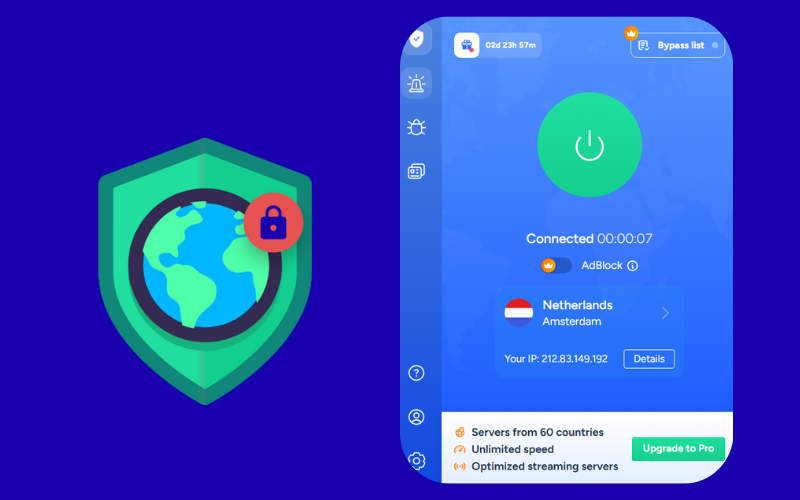
VeePN is a free VPN service for privacy-conscious internet users. Originating in Panama, VeePN provides privacy services to 192.8 million users across 2,600 servers in 85 countries. Indeed, Panama is very privacy-focused. It lies outside the major Five, Nine, and Fourteen Eyes intelligence alliances and imposes no compulsory data storage requirements. As a result, VeePN stands out as safer than VPNs headquartered in the US, UK, Canada, or Australia.
You can use VeePN’s free browser extension to unblock restricted social media, watch Netflix content from other regions, and bypass firewalls. This online privacy tool works seamlessly on Linux, Android, iOS, Windows, and popular browsers like Chrome and Firefox.
Free Extension Features of VeePN
VeePN is a user-friendly, free VPN for Chrome that works immediately after installation. Yes, there is no need to register or enter credit card details to start using the VeePN Chrome extension. By clicking the ‘Proxy Connection’ button at the top left, you can access and connect to 6 free servers. These six free server locations include France, the Netherlands, Russia, Singapore, the UK, and the US.
Now, you can browse unmetered content with no-log and AES 256-bit encryption. In addition, with features like an automatic kill switch, DNS and IP leak protection, and multiple security protocols, VeePN outperforms many rivals.
Limitations
- The free VeePN extension sometimes struggles to unblock Netflix, BBC iPlayer, Disney+, or Hulu, but the paid version works much better.
- Although its free version backs P2P connections, but using the free VeePN Chrome extension alone doesn’t protect torrent clients, so it’s not ideal for secure torrenting.
- We also noticed occasional connection drops, slower speeds, and a limited number of available servers while using this service.
6. DotVPN
| Feature | Details |
| Download | Download from Chrome Web Store |
| Free Servers | 3 |
| Locations (Free) | France, the US, and the Netherlands |
| Registration Required | No |
| Best For | Quick browsing, basic unblocking |
| Origin Country | Hong Kong |
| Privacy Quality | 256-bit encryption, zero-logs; some metadata collection noted |
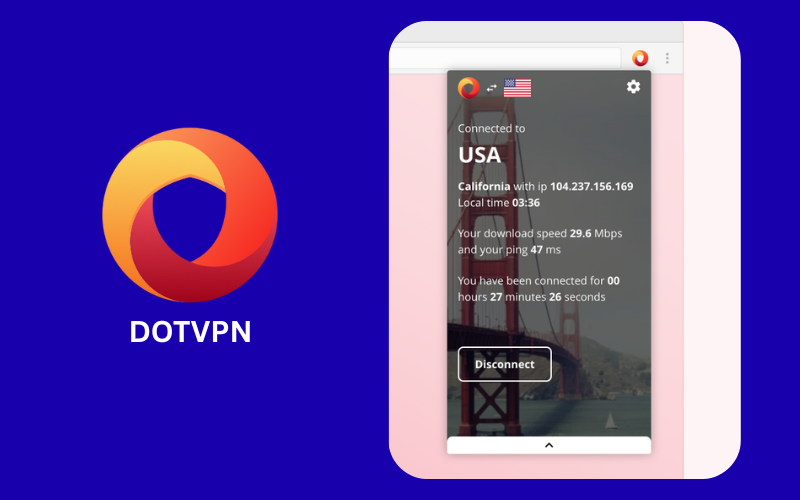
DotVPN is a lightning-fast, free-tier VPN with over 500k users on Chrome. Based in Hong Kong, this service follows a strict no-logs policy and protects your online privacy, as it isn’t part of any intelligence alliances. This VPN lets you access learning platforms, social media, and streaming services from anywhere. In addition to 700 global servers, it works seamlessly on Windows PCs, Chromebooks, and Macs.
Free Extension Features of DotVPN
Once you install DotVPN from Chrome, you can start using the extension immediately, no registration or payment details required. Its user-friendly interface displays about three free server locations, typically covering France, the United States, and the Netherlands. You can select any of these servers and start browsing anonymously. It hides your IP and offers download speeds up to 10 Mbps.
The free plan also includes built-in ad-blocking, unlimited bandwidth with no data caps, 256-bit encryption, and a strict zero-logs privacy policy.
Limitations
- You can’t use DotVPN for torrenting or P2P, whether on the free extension or paid version. Its inability to secure torrent traffic is a key disadvantage of the service.
- A common issue reported by users is that the free Chrome extension fails to consistently provide access to BBC iPlayer, Hulu, Amazon Prime Video, and Disney+.
- Although DotVPN is a Hong Kong company and is not part of major surveillance alliances, its privacy policy indicates it may retain some metadata.
7. Windscribe
| Feature | Details |
| Download | Download from Chrome Web Store |
| Free Servers | 2 |
| Locations (Free) | US, Canada |
| Registration Required | Yes |
| Best For | Privacy + ad/tracker blocking under data cap |
| Origin Country | Canada |
| Privacy Quality | Strong for free plan; limited bandwidth & servers |
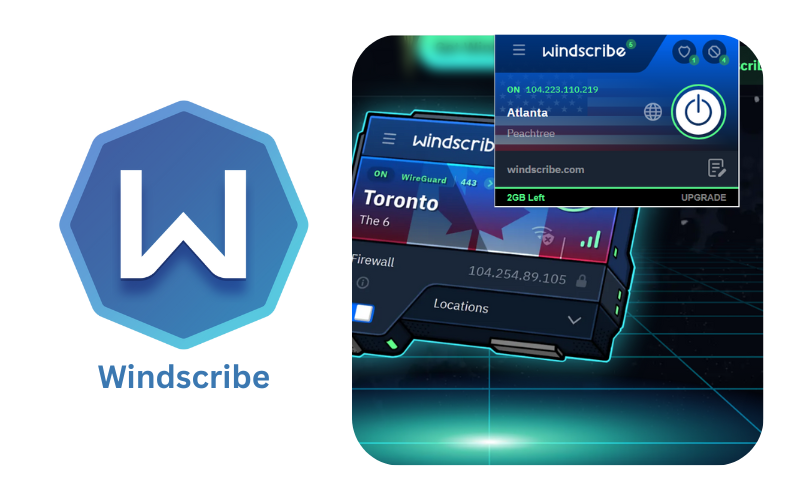
Windscribe is a powerful VPN that helps you circumvent censorship with servers in 115 cities across 69 countries. Operating from Canada, Windscribe keeps your IP hidden and your location masked, letting you surf the web without being tracked. So, you can seamlessly access restricted news sites, streaming networks, social media, blogs, and more. Thanks to its broad OS and device support, it has become a go-to VPN for 8 million users globally.
Free Extension Features of Windscribe
Windscribe works as a free VPN proxy and ad blocker. Once the extension is installed, registration is required. If you sign up without verifying your email address, Windscribe limits your data to 2GB per month. After email verification, your monthly allowance increases to 10GB. You can now activate the VPN location using autopilot mode. Otherwise, if you manually select a server, the free plan is available in only two countries: the United States and Canada.
With tools such as Smokewall, Failover, and Proxy Port, Windscribe offers exceptional connectivity, ideal for users facing geo-restrictions. Besides, this free VPN stops ads and trackers, so pages load faster while you browse.
Limitations
- We observed that Windscribe’s free extension, which limits data to 2GB, often runs slowly, making tasks such as ChatGPT prompts frustrating.
- You get about 10 GB per month if you verify your email, which isn’t much for streaming or downloading large files. Torrenting and P2P aren’t supported either.
- Windscribe’s free extension restricts users to only two server locations and offers hit-or-miss video streaming, making these its most significant limitations.
8. Turbo VPN
| Feature | Details |
| Download | Download from Chrome Web Store |
| Free Servers | 6 |
| Locations (Free) | US, Singapore, UK, Germany, others |
| Registration Required | No (one-tap connect) |
| Best For | Simple unblocking & browsing |
| Origin Country | Singapore |
| Privacy Quality | Traffic encryption; no-logs claim unverified; not ideal for sensitive privacy |
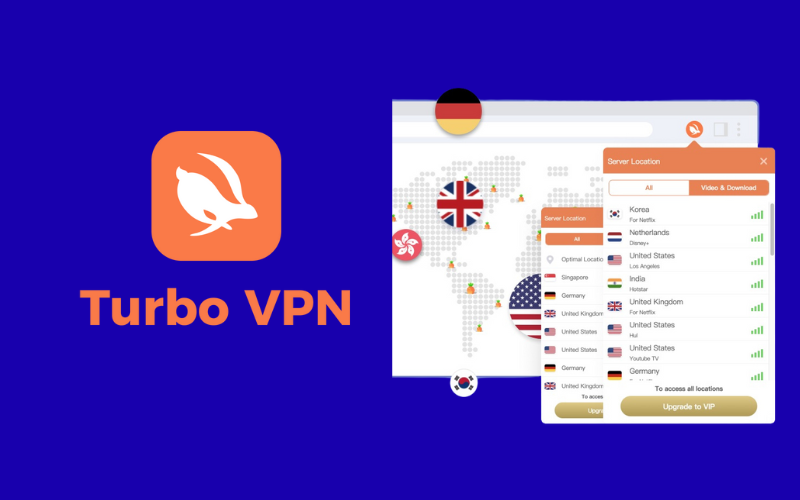
Headquartered in Singapore, Turbo VPN is another useful free VPN for Chrome, macOS, Android, and Windows. Turbo VPN runs over 24,000 servers in 111 countries, giving users the freedom to explore the internet. Therefore, the free Chrome extension from Turbo VPN enables streaming Netflix series, gaming, music, live sports, and cross-region chatting, as well as access to blocked sites. It also safeguards banking and shopping while keeping your browsing encrypted.
Free Extension Features of Turbo VPN
Once Turbo VPN is installed in Chrome, select ‘Tap to Connect,’ and it automatically connects you to the fastest available server. You can also manually choose your server by clicking the flag in the top-right corner. The free version gives access to 6 server locations, including the United States, Singapore, the United Kingdom, and Germany.
In addition, Turbo VPN provides P2P encryption, a simple setup, private tunneling, and effortless circumvention of geo-restrictions.
Limitations
- Turbo VPN encrypts your traffic and hides your IP, but its no-logs claim isn’t independently checked. Since Singapore authorities can request data, it’s safer to browse than to bank or work on private matters.
- You can try downloading torrents with it, but Turbo VPN’s free version is not designed or recommended for torrenting, particularly when it comes to privacy and performance. For safe and reliable torrenting, its paid version is a far better choice.
- We also noticed that Turbo VPN lacks strong positive reviews on the Chrome Web Store. Many users from restricted regions, such as Russia, report that it doesn’t work reliably.
9. Hola VPN
| Feature | Details |
| Download | Download from Chrome Web Store |
| Free Servers | ~700 (peer-to-peer) |
| Locations (Free) | US, UK, Germany, France, Canada, Qatar, India, etc. |
| Registration Required | Yes |
| Best For | Broad geo-unlocking, quick unblocking |
| Origin Country | Israel |
| Privacy Quality | Peer-to-peer traffic risk; weaker privacy; not recommended for sensitive activities |
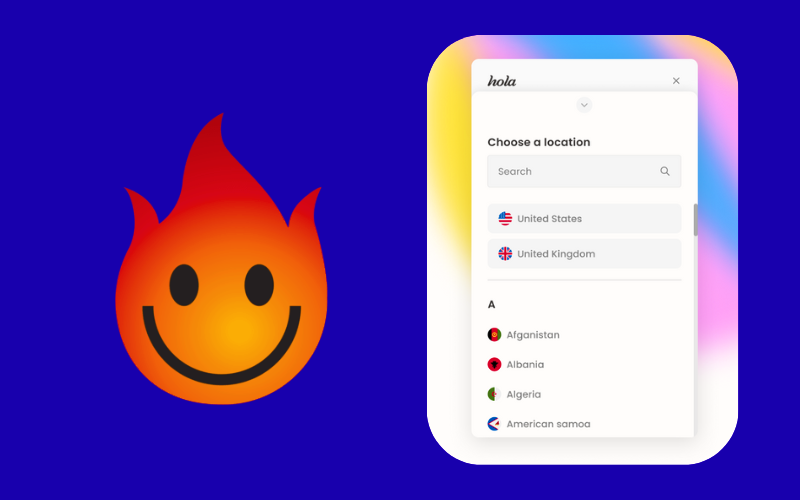
Hola VPN is an Israeli-based, one of the fastest freemium VPNs for Windows PC in 2026. With over 700 servers across 190 countries and 900,000 Peers, it delivers fast, reliable performance for streaming your favorite TV shows and movies. Correspondingly, it serves as a reliable circumvention tool for unblocking a wide range of social media and educational websites. You can use it on macOS, Windows, Android, and Smart TVs without compatibility issues.
Free Extension Features of Hola
Hola is a free-to-install VPN extension. After registration, this VPN extension lets you choose from an exhaustive list of server locations. Countries such as the United States, the United Kingdom, Germany, France, Canada, Brazil, Italy, and Argentina are at the top of this list. You also have the option to select servers in New Zealand, Qatar, India, South Korea, Sweden, Switzerland, Taiwan, and several other countries.
Strong encryption, ad-free browsing, and one-click connection are additional features of Hola’s free service.
Limitations
- While it can bypass some geoblocks, Hola Free doesn’t provide full-fledged VPN security. Its peer-to-peer traffic poses a privacy risk, which is why many experts avoid it for sensitive activities.
- Our team explored that the free servers can’t unblock all streaming sites, and peer-to-peer routing is not ideal for real-time gaming. You might also face unexpected connection drops.
- Israel isn’t part of the major intelligence alliances, but authorities can still request user data. Free or peer-to-peer VPNs, such as Hola, always carry some privacy risk.
Things to Consider While Choosing a Free VPN
You must consider the following things while choosing a free VPN for Chrome:
Privacy and Security
Privacy sits at the heart of any VPN service. For us, a provider’s country of origin plays a key role in determining that privacy. It is preferable to use VPNs based in Panama and Switzerland due to strong legal protections for privacy. Such VPN providers don’t share your data with intelligence alliances and government authorities. Other factors that help protect your anonymity include AES-256-GCM encryption, a no-log policy, DNS leak protection, multi-hop, and a kill switch.
Speed & Available Servers
Speed comes next. In most cases, enabling a free VPN slows down your internet connection. So, it is best to choose a fast VPN that can bypass geo-blocks, stream videos smoothly, and handle gaming without lag. The number of available servers and locations also plays a significant role. Choosing VPNs with RAM-only servers adds an extra layer of privacy.
Bandwidth
Most free VPNs limit data usage or throttle speeds once you reach a certain point. This can disrupt streaming, file downloads, and extended browsing. Always review the data allowance and expected speeds to ensure they meet your needs. A freemium VPN with no bandwidth limits is the smarter option.
Pricing
Some may ask why price matters when using a free VPN, but it does if you plan to switch to a paid plan. Therefore, choose a VPN that combines strong encryption with reasonable pricing. Also, you must look for a VPN that offers round-the-clock support alongside its premium plan.
FAQs about Free VPN for Chrome
Can Chrome protect your connection with a built-in VPN?
No, Chrome doesn’t include a VPN, so you will need a Web Store extension to hide your IP or access blocked content. Free extensions are handy for browsing, but full VPN apps protect your whole device.
Free VPNs vs. paid ones — which works better?
Of course, paid VPNs deliver superior performance. If you just need casual browsing or to unblock a few sites, free VPNs work. For HD streaming, online gaming, or strong privacy, a paid VPN is the more reliable choice.
What are the best free VPNs for Chrome?
According to our testing in 2026, the top free Chrome VPN extensions are:
ExpressVPN—Fast streaming, strong encryption, reliable unblocking, privacy-focused, BVI-based.
Browsec — Ad-free, 4–7 servers, suitable for Netflix and social media, based in the US.
Proton VPN — 5–10 servers, privacy-focused, no ads, based in Switzerland.
SetupVPN — 5 servers, removes basic blocks, lifetime free, based in the US.
VeePN — 6 servers, automatic kill switch, Panama-based for privacy.
DotVPN — 3 servers, simple browsing, Hong Kong-based, zero-logs.
Windscribe — 2 servers, includes ad/tracker blocking, Canada-based.
Turbo VPN — 6 servers, simple unblocking, Singapore-based, limited privacy.
Hola VPN — ~700 peer-to-peer servers, fast, Israel-based, weaker privacy.
Is it legal to use a VPN?
Yes, it is legal to use a VPN in countries such as the US, Canada, and EU member states. Some countries with strict internet control, including China, Iran, and North Korea, prohibit VPN use. Regardless, using a VPN for illegal activities, such as piracy or fraud, is illegal worldwide.
Can you access streaming platforms with a free VPN?
ExpressVPN stands out as the top choice for streaming, delivering consistently smooth access to Netflix, Disney+ and Hulu where most free VPNs struggle. Options like Browsec, Proton VPN, and VeePN may work at times, but performance is less stable due to limited servers and inconsistent unblocking.
Can you trust free VPNs for private or confidential tasks?
Some free VPNs are suitable for light use, but there are privacy risks. Browsec and SetupVPN operate in the US; Hola shares IP addresses via peer-to-peer. For confidential work, paid or privacy-first VPNs like Proton VPN are recommended.
Are free VPNs suitable for torrenting?
Most free Chrome VPNs can’t fully secure torrenting. Proton VPN, DotVPN, Turbo VPN, and Windscribe block P2P, and VeePN’s free extension isn’t enough to protect torrent clients. Paid VPNs handle torrenting safely.
Can free VPNs bypass school or workplace firewalls?
Yes, Browsec, SetupVPN, and VeePN can bypass basic geo-blocks, firewalls, and regional restrictions. However, some networks may detect VPN traffic, which can limit their effectiveness.
Do free VPNs track my online activity?
The answer is not a simple yes or no. DotVPN and Proton VPN keep minimal logs, while Browsec, SetupVPN, and Hola may store data or reveal activity. Review the provider’s privacy policy carefully.
Conclusion
In 2026, free Chrome VPNs make it easy to browse securely and bypass restrictions. They’re reliable for casual browsing, but limitations such as fewer servers, slower speeds, and privacy concerns remain. Browsec, Proton VPN, and VeePN excel in privacy and usability, while Hola or Turbo VPN work best for quick access. For complete security and performance, a paid VPN is the better choice.

ivacy’s extension is free too. and it’s not too bad either. can unblock streaming sites/services and most of NF libraries. might need some getting used to though.
Comments are closed.