A ringing phone should mean revenue. For most small businesses, it doesn’t work out that way. Industry data from 411 Locals found that businesses answer only 37.8% of incoming calls live. The rest land in voicemail or go completely unanswered. The average small business can lose an estimated $126,000 in revenue each year because of missed calls. When callers can’t reach someone, most simply move on to the next business on their list.
A virtual phone system fixes the plumbing behind that problem. It routes calls, texts, and voicemail through the cloud rather than a landline, so a two-person shop can sound and operate like a real company. But budget matters as much as features. This guide breaks down five of the most searched, most budget-friendly virtual phone systems on the market: RingCentral, 8×8, OpenPhone (now rebranded as Quo), Zoom Phone, and Dialpad. Real pricing, real limitations, and real fixes for the problems small teams actually run into.
What Is a Virtual Phone System, and Why Do Small Businesses Need One?
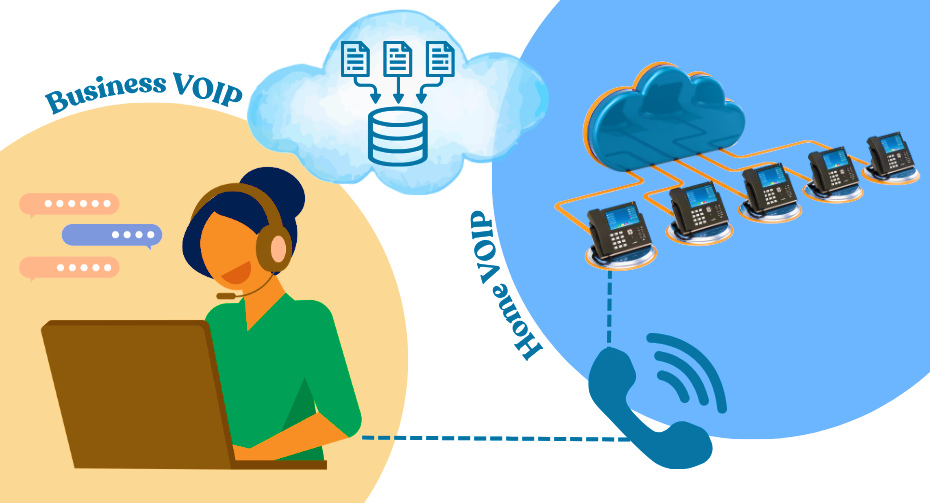
A virtual phone system, also called a cloud phone system or VoIP (Voice over Internet Protocol) service, routes calls over the internet rather than over copper phone lines. No PBX hardware in a closet. No landline contract. Just an app on a laptop or phone.
For a startup or solo operator, this matters for a few plain reasons. A local or toll-free business number can be set up in minutes, without buying a second phone. Calls can be routed to a cell phone, a laptop, or a whole team, so no customer call goes unanswered just because someone stepped away from a desk. Auto-attendants, call recording, and voicemail-to-text add a layer of professionalism that once required an office manager.
Cost is the other driver. A traditional business phone line with a carrier often costs $50 to $100 per line per month, plus installation and hardware. A cloud-based plan usually starts at $10-$25 per user per month and scales up or down as the team grows or shrinks. That flexibility is exactly what a bootstrapped business needs.
The catch: not every “budget” plan stays budget-friendly once real usage kicks in. That’s the part most reviews skip, and the part covered in detail below.
The Real Problems Small Businesses Face With Phone Systems
Before comparing providers, it helps to name the pain points that actually drive people to switch systems.
Hidden fees inflate the advertised price. Regulatory recovery fees, 911 fees, and mandatory carrier registration charges routinely push the real bill 15% to 50% above the sticker price quoted on a pricing page.
SMS and calling limits catch teams off guard. Entry-tier plans often cap texts at 25 to 100 messages per user monthly. A business that texts customers regularly can hit overage fees within the first billing cycle.
Monthly billing costs far more than annual billing. Nearly every provider on this list charges 20% to 33% more for month-to-month flexibility, which punishes businesses that aren’t ready to commit for a year.
After-hours and peak-hour calls go unanswered. Roughly a third of inbound calls to small businesses arrive outside standard hours, and single-employee operations miss close to half of all calls simply because one person can’t be everywhere at once.
Contracts lock in pricing that becomes outdated. Multi-year commitments are common on enterprise-leaning platforms, with early termination fees of $60 to $200 per user if a business needs to exit early.
Every provider covered here solves some of these problems better than others. None solves all of them.
How These Five Providers Were Evaluated
Five criteria mattered most for this comparison, since these are the factors that actually determine whether a “cheap” plan stays cheap.
Starting price, at the entry tier, billed annually. This is the number most businesses budget against, so it’s the fairest baseline for comparison.
What’s included versus what costs extra. A $15 plan that requires three paid add-ons to function isn’t really a $15 plan.
SMS and calling limits. Texting is now core to how small businesses reach customers, so caps matter as much as call minutes.
Free trial length and ease of cancellation. A short or missing trial raises the risk of buying the wrong tool.
Fit for team size. A five-person shop and a fifty-person team need different things, so “best” depends heavily on scale.
Pricing below reflects US rates as of mid-2026 and is based on annual billing unless stated otherwise. Providers frequently adjust pricing, so it’s worth confirming current rates directly before signing.
Top 5 Virtual Phone Systems (VoIP) That Save Small Businesses Money
Have a look at the top VoIP options suitable for small businesses:
1. RingCentral
Best for: Growing Teams That Need Deep Integrations
RingCentral, sold as RingEX, is one of the most established names in business phone systems, serving millions of users worldwide. It bundles voice, video meetings, SMS, and team chat into a single platform, with over 330 integrations across CRMs such as Salesforce and HubSpot.
Key features: Unlimited domestic calling, AI-generated call transcription and summaries on every tier, 100-person video meetings, multi-level auto-attendants, and internet fax on all plans.
Pricing structure: Core starts at $20/user/month (billed annually; $30 monthly). Advanced, the most popular tier, runs $25/user/month annually ($35 monthly) and adds CRM integrations plus automatic call recording. Ultra costs $35/user/month ($45 monthly) and includes unlimited storage and advanced analytics. A separate AI Receptionist add-on starts at $39/month.
Free tier: No permanent free plan, but a 14-day free trial covers up to 20 phone lines with full feature access.
Pros: Strong AI transcription bundled in at every tier, wide CRM integration library, reliable 99.999% uptime claim, generous video meeting capacity.
Cons: Core plan caps SMS at just 25 messages per user monthly, real invoices often run 15% to 50% above advertised pricing once regulatory fees and add-ons are included, and CRM integration requires the Advanced tier or higher.
2. 8×8
Best for: International Calling on a Global Team
8×8 targets small businesses that often make international calls, offering unlimited calling to 14–48 countries depending on the plan. It has shifted toward a sales-led, quote-based pricing model in 2026, which makes it harder to compare at a glance.
Key features: Unlimited international calling bundled in (not billed per minute), HD video conferencing for up to 500 participants, 60+ integrations including Microsoft Teams and Google Workspace, and speech analytics on higher tiers.
Pricing structure: The entry-level Express plan runs around $15/user/month. The X2 tier, 8×8’s most common small-business plan, costs roughly $24/user/month annually with unlimited users. The X4 tier runs about $44/user/month annually and adds call monitoring tools like whisper and barge. Exact numbers now require a sales quote.
Free tier: No free-forever plan and no consistently advertised free trial; demos are the standard entry point.
Pros: Global teams benefit from unlimited international calling, which supports smooth cross-border communication. Video conferencing handles larger meetings effectively, and mix-and-match plans let businesses tailor features for each department.
Cons: Many providers make pricing difficult to understand, which makes budgeting harder for small businesses. They often require 12- to 36-month contracts, charge $60 to $200 per user for early termination, and lock call recording and supervisor tools behind higher-tier plans.
3. OpenPhone (Quo)
Best for: Lean Startups and Solo Founders
OpenPhone rebranded as Quo in late 2025 after raising new funding, but the core product remains unchanged: a simple, modern business phone app built for small teams in the US and Canada. It has become one of the most-searched budget options, largely because the entry price is genuinely affordable and the interface is praised as one of the cleanest in the category.
Key features: Shared phone numbers so a whole team can manage one inbox, AI call summaries and transcripts, voicemail-to-text, and a built-in AI agent (Sona) for basic call handling.
Pricing structure: Starter costs $15/user/month annually ($19 monthly). Business runs $23/user/month annually ($33 monthly) and adds CRM integrations with HubSpot and Salesforce. Scale costs $35/user/month, billed annually, for teams that have outgrown Business but don’t need the complexity of enterprise.
Free tier: No permanent free plan, but a 7-day free trial is available on all tiers.
Pros: Clean, fast setup that takes an afternoon rather than days; shared-inbox model works well for small, rotating teams; transparent, published pricing; strong reviews for customer support.
Cons: The platform lacks built-in video conferencing and charges $5 per additional phone number per month. It bills international calls per minute and applies carrier registration fees on top of the subscription.
4. Zoom Phone
Best for: Teams Already Using Zoom for Meetings
Zoom Phone extends the familiar Zoom video platform into full business telephony. For a team that already lives in Zoom Meetings, adding Zoom Phone means avoiding the need to juggle a second app entirely, and it’s frequently the lowest headline price on this list.
Key features: HD call quality with active noise cancellation, AI Companion for automatic call summaries and voicemail prioritization, and Bring Your Own Carrier support for businesses with existing telecom contracts.
Pricing structure: Zoom Phone starts at $16 per user/month (US & Canada Unlimited, billed annually). It includes unlimited domestic calling, SMS, MMS, online fax, call recording, and AI features like post-call summaries and voicemail prioritization. International calling runs on metered rates. For lighter usage, Zoom also offers a metered option at $10.50 per user/month that bills outbound calls by the minute rather than offering unlimited calling.
The Pro Plus plan costs $20.50 per user/month and bundles Zoom Phone with expanded Zoom Workplace features like longer meetings, unlimited AI note-taking, and video collaboration tools. The Business Plus plan costs $24.50 per user/month and adds advanced controls such as SSO, managed domains, compliance tools, unlimited whiteboards, and enterprise-grade admin features.
Free tier: No free-forever phone plan; a free trial is offered only on the Unlimited tier, not on Metered or the bundles.
Pros: Lowest entry price of any major provider, tight integration with Zoom’s video and chat tools already used by many teams, and strong call quality and noise cancellation performance.
Cons: The cheapest plan bills every outbound call by the minute. It limits international coverage on the add-on to 19 countries and sells desk phone hardware separately.
5. Dialpad
Best for: AI-Powered Sales and Support Teams
Dialpad markets itself as an AI-first communications platform, and the real-time transcription, sentiment analysis, and coaching tools genuinely stand out among budget providers. It suits small sales teams that want call intelligence without having to hire a dedicated analyst.
Key features: Real-time call transcription and sentiment analysis included at every tier, audio chat rooms, voicemail transcription, and unlimited calling to the US and Canada.
Pricing structure: Standard costs $15/user/month annually ($27 monthly), built for one office location and small teams. Pro runs $25/user/month annually ($35 monthly), requires a three-user minimum, and adds CRM integrations plus multiple office support. Enterprise requires a custom quote and a 100-user minimum, which puts it out of reach for most small businesses.
Free tier: No permanent free plan; a 14-day free trial is available across Standard and Pro.
Pros: AI transcription and coaching features are unusually strong for the price; an easy-to-use mobile app with near-feature parity with the desktop; unlimited domestic calling included in the base tier.
Cons: CRM integrations and phone support stay unavailable on the entry plan. Video meetings cap at 10 participants, and SSO plus priority routing sit behind the Enterprise tier, which most small teams don’t reach. The provider also adds an administrative recovery fee on top of the subscription.
Side-by-Side Comparison Table
| Provider | Starting Price (Annual) | Free Trial | SMS/Call Limits | Best For |
|---|---|---|---|---|
| RingCentral | $20/user/mo | 14 days | 25 SMS/user (Core tier) | Growing teams needing CRM integrations |
| 8×8 | ~$15/user/mo (Express) | Demo only | Unlimited calls to 14–48 countries | International calling teams |
| OpenPhone (Quo) | $15/user/mo | 7 days | Unlimited US/Canada calling | Lean startups, solo founders |
| Zoom Phone | $10.50/user/mo (Metered) | Unlimited tier only | Per-minute billing on the Metered plan | Existing Zoom users |
| Dialpad | $15/user/mo | 14 days | Unlimited US/Canada calling | AI-driven sales/support teams |
Which Provider Fits Your Business
The right pick depends less on the “best” system and more on how the business actually operates day-to-day.
A solo founder or a team of fewer than 10 people, calling mostly within the US and Canada, is usually best served by OpenPhone (Quo). The shared-inbox model and flat pricing keep things predictable.
A business already running meetings on Zoom gains the most from Zoom Phone, since it avoids paying for and learning a second communications app.
A sales-heavy team that lives and dies by call coaching and follow-up should look at Dialpad, where AI transcription is bundled in rather than sold as an upsell.
A company that makes regular international calls, especially to Europe or Asia, gets the most value from 8×8’s unlimited international bundles.
A growing business that needs Salesforce or HubSpot syncing, plus video meetings for client calls, tends to land on RingCentral’s Advanced tier.
None of these five includes a permanent free plan, so budgeting should assume a real monthly cost from day one, plus 15–30% headroom for taxes, fees, and add-ons that rarely appear on the pricing page.
Frequently Asked Questions
Is there a truly free virtual phone system for small businesses?
None of the five providers above offers a permanent free tier; all offer free trials ranging from 7 to 14 days. Free alternatives like Google Voice exist but lack the call recording, analytics, and CRM integrations most small businesses eventually need.
Which provider is the cheapest for a five-person team?
Zoom Phone’s Metered plan is the cheapest on paper at $10/user/month, but per-minute billing can erase the savings for teams that call often. OpenPhone’s Starter plan at $15/user/month with unlimited domestic calling is usually the more predictable budget choice.
Do virtual phone systems work with an existing business number?
Yes. All five providers support number porting, which typically takes 10 to 15 business days, though delays with a previous carrier can extend this to a few weeks.
Why do monthly bills end up higher than the advertised price?
Most providers bill regulatory recovery fees, 911 fees, mandatory SMS carrier registration, and optional add-ons separately from the base subscription. Add-ons such as AI receptionists and extra phone numbers can also increase your monthly costs.
Is annual billing worth it for a new business unsure of long-term needs?
Annual billing saves 20% to 33% across all providers on this list, but it locks in a commitment. A short free trial, followed by one month of paid, month-to-month use, is a safer way to confirm fit before committing to an annual plan.
Can a virtual phone system reduce missed calls?
Yes, through call routing to multiple devices, auto-attendants, and voicemail-to-text. But the core limitation remains human: a small team can still miss calls during busy hours unless the plan includes queue management or an AI answering feature.
Final Words
Every provider on this list can genuinely serve a small business, but each one solves a different problem well. OpenPhone (Quo) wins on simplicity and price for lean teams. Zoom Phone wins for its lowest entry point for teams already in the Zoom ecosystem. Dialpad wins on AI-driven call intelligence. 8×8 wins for international reach. RingCentral wins for integration depth as a team scales.
The mistake most small businesses make isn’t picking the wrong provider. It’s picking a plan based on the advertised sticker price alone. Given that missed calls alone cost the average small business six figures a year, the real question isn’t just which system is cheapest. It keeps your business phone answered, even after accounting for all fees and limits.