



Government authorities tightly supervise the internet in China, which is why most users and foreigners prefer VPNs. However, VPNs run slower in China because the Great Firewall (GFW) filters encrypted data, and cross-border connections carry too much traffic. This article walks you through practical ways to fix a slow VPN in China and improve your connection.
Simple Steps to Speed up a Slow VPN in China
Before diving into specific solutions, let’s start with the most straightforward steps to make your VPN faster in mainland China.
1. Use an eSIM – Best Solution for Tourists
If you’re visiting China and concerned about internet restrictions, consider using an eSIM. Most VPNs struggle with the GFW, but eSIMs often include built-in VPN access, letting you access your desired sites and apps without restriction.
You must buy and activate your eSIM before entering China, as purchasing or activating it is unavailable on the mainland.

Recommended eSim providers for China are:
Saily – Suited for travelers focused on safety, with VPN, ad-blocker, and tracker protection included.
Jetpac – With built-in VPN, it is a solid choice for travel to China and other countries.
Trip.com – With easy access to international apps, it offers an affordable China eSIM for daily use, with data allowances ranging from small to large.
Holafly – An excellent choice for high data use and streaming, though it does not include a built-in VPN by default.
While most of these eSims include built-in VPNs, you can add an optional VPN service to boost internet speed and bypass the GFW more effectively.
2. Switch to a Protocol that is Less Detectable
If you’re a visitor without an eSIM, a resident, or your VPN underperforms even with an eSIM, the next step is to adjust the protocol. Choosing a stealthy VPN protocol can often resolve speed issues for users in China.

In this regard, you can consider using these protocols:
WireGuard + Obfuscator
WireGuard, paired with an obfuscator, is a robust VPN protocol that keeps your connection fast. It offers high speed and low overhead, and an obfuscator masks its traffic to avoid detection by DPI systems such as the Great Firewall. If your VPN supports WireGuard with an obfuscator, you must enable it to fix speed issues in China quickly.
However, the obfuscator must run on both the server and client, so you usually need to self-host or choose a VPN provider that supports it.
V2Ray (VMess / XTLS over WebSocket or TLS)
V2Ray is a top option for bypassing the GFW, especially when configured with VMess or XTLS over WebSocket or TLS. It stays under the radar by looking exactly like normal HTTPS or WebSocket traffic, so most deep packet inspection systems struggle to spot it. In addition, V2Ray allows precise configuration, from directing app traffic to obfuscating your connection.
The primary limitation of V2Ray is its complex setup, which requires custom clients and servers and incurs a bit more overhead than WireGuard. However, it still handles censorship blocks smoothly and without much slowdown.
OpenVPN
OpenVPN with obfuscation over TCP 443 or TLS is another proven protocol on our list that helps in speeding up your VPN. With obfuscation and TLS tunneling, its traffic appears normal and bypasses the Great Firewall seamlessly. By functioning this way, OpenVPN remains a stable fallback if advanced protocols have problems.
On the other hand, unlike WireGuard or V2Ray, it runs slower, uses more resources, and isn’t as performance-efficient.
Shadowsocks
Shadowsocks may not be a complete or fully dependable VPN protocol, but it still works better than many traditional protocols in China. When combined with plugin-based masking or AEAD ciphers, it becomes a lightweight proxy. Now, it delivers solid censorship-evasion capabilities and excellent performance with UDP traffic.
Withal, it lacks OS-level tunnelling and requires accurate obfuscation plugin configuration to avoid detection by China’s Great Firewall.
3. Choose a Server Location Close to China
Using a distant VPN server will slow down your connection in China. Servers farther away increase travel distance and the number of hops, causing lag. Instead, choose servers in regions close to China, such as Asian hubs, for better speeds.

You can get faster speeds in China by connecting to servers in these regions.
- Japan
- South Korea
- Singapore
Just note that server proximity doesn’t bypass restrictions, yet it helps minimize lag and keeps the connection more consistent.
4. Switch your DNS to a Quicker Provider
Chinese authorities heavily filter preconfigured DNS settings from your ISP, which is why most public DNS servers from abroad are often restricted or unstable. You can try using both international and local DNS servers, but they only work effectively with the VPN already running.

Here are a few DNS servers you can use once the VPN is turned on:
Cloudflare (1.1.1.1/1.0.0.1) – It offers high global speed and is optimized for DoH/DoT. But it may occasionally be blocked in China. So, enable the VPN first and then go for Cloudflare.
Quad9 (9.9.9.9) – Designed for security and privacy, it performs best when used through a VPN.
OpenDNS (208.67.222.222 / 208.67.220.220) – It is another stable and safe DNS, but usable in China if connected through a VPN.
VPN-provided optimized DNS – Many high-end VPNs include DNS servers in nearby regions, helping reduce latency and circumvent ISP-level censorship. Some of these VPNs are ExpressVPN, Surfshark, and Astrill.
Regionally Closed DNS – You can also select DNS from physically closed locations such as Singapore and Hong Kong. Some examples are PCCW Hong Kong DNS and SingNet.
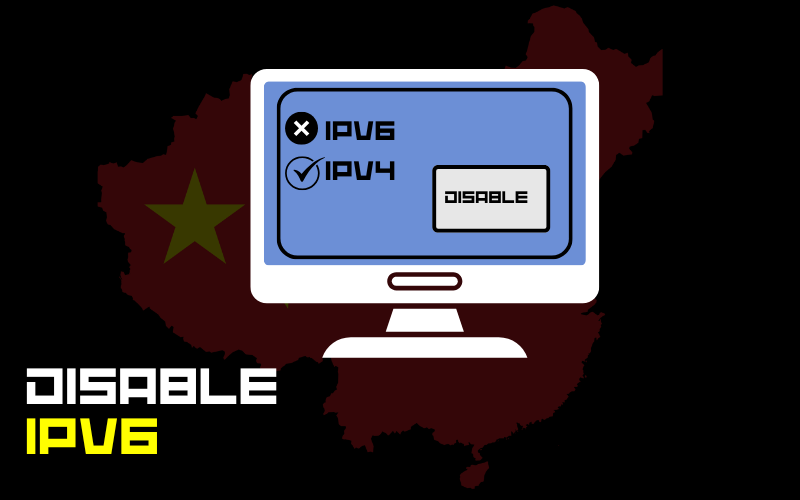
5. Disable IPv6
IPv6 is an advanced Internet protocol that addresses IPv4’s limited address space, enabling devices to connect directly. However, enabling IPv6 can degrade VPN performance in China. Indeed, IPv6 can cause data leaks, disclose your IP address, and make your VPN connection unstable in core regions of China.
For this reason, turning off IPv6 is the way to go. When IPv6 is disabled, all traffic passes through the VPN’s IPv4 tunnel. This approach prevents leaks, stabilizes connections, and maintains consistent, safe speeds.
6. Change VPN Ports
VPNs depend on specific network ports to carry encrypted data. Every port corresponds to a traffic type that network devices and ISPs can detect. The Great Firewall monitors VPN-related ports such as 1194 in China and may intermittently block them. So, you need to switch ports. Port changes let your VPN traffic blend in, improving stability and reducing speed limitations.
The ports listed here allow VPN traffic to blend in with typical online activity.
- 443 – Try it at first
- 53 or 80 – Considered as the second option
7. Avoid Peak Hours
Another great advice to fix speed issues with VPNs in China is to avoid peak hours. Although steering clear of peak times won’t bypass restrictions, but it helps your VPN maintain speed and stable connections. These peak hours could be 7 pm to 11 pm in Mainland China. So, you should choose less congested hours like 6 am to 9 am or 11 am to 2 pm (the early afternoon).
8. Use Premium VPNs and update them frequently
There is no doubt that most Chinese locals want to use free VPN services like these to bypass the restrictions of the Great Firewall. However, you can only get the desired results using a premium VPN service, especially if you want speedy browsing. You should keep your VPN software up to date to remain compatible with recent updates and improvements.
Simple Steps to Speed up a Slow VPN in China
We summed up all the necessary steps to improve VPN speed in China:
| Technique | Why It Helps | Practical Tips / Examples |
| Use an eSIM (for tourists) | Provides built-in VPN access to bypass restrictions without extra setup | Avoids slow or filtered ISP DNS lookups, reduces delays, and prevents failed connections |
| Choose servers close to China | Shorter distance = lower latency, fewer hops, more stable routes | Use servers in Japan, Singapore, or South Korea; test multiple servers for speed |
| Reset DNS to a faster provider | Prevents IPv6 traffic from bypassing VPN, avoids leaks, and reduces unstable connections | Use Cloudflare (1.1.1.1), Quad9 (9.9.9.9), OpenDNS (208.67.222.222); VPN-provided DNS; regional DNS like SingNet or PCCW Hong Kong; prefer DoH/DoT |
| Disable IPv6 | Use 443 (HTTPS) first; fallback to 80 (HTTP) or 53 (DNS); combine with protocol obfuscation. | Exclude domestic sites from the VPN tunnel, only route foreign traffic |
| Change VPN ports (443, 80, 53) | Helps VPN traffic blend in with regular web/DNS traffic, avoids blocks, and increases reliability | Turn off IPv6 in the device’s network settings to force all traffic through the VPN’s IPv4 tunnel. |
| Use VPN protocols optimized for China | Some protocols are better at evading the Great Firewall | Shadowsocks, Trojan, WireGuard + Obfuscator, V2Ray, OpenVPN TCP/443; test multiple protocols |
| Use split tunneling when possible | Sends only necessary traffic through VPN, reduces load and congestion | Always run the latest VPN version to reduce drops and enhance performance |
| Avoid peak hours | International bandwidth is limited and congested | Connect early morning (6–9 AM) or mid-day (11 AM–2 PM); avoid evenings (7–11 PM) |
| Update VPN software regularly | Providers improve obfuscation and server routing | Always run the latest VPN version to reduce drops and improve performance |
FAQs
How can I make my VPN faster while in China?
- Opt for a VPN-enabled eSIM when in China to access the internet more quickly. (as a tourist)
- Selecting servers in Japan, Singapore, or South Korea can improve speed and reduce delays.
- Use privacy-focused, stable protocols such as WireGuard with an obfuscator, V2Ray, or OpenVPN, running on TCP 443.
- Use port 443 for your VPN, and if that fails, try ports 80 or 53 to avoid throttling.
- Set your DNS to VPN-provided servers or public options like Cloudflare, Quad9, or OpenDNS, and use DoH or DoT for security.
- Disable IPv6 to maintain VPN protection and prevent traffic from bypassing the tunnel.
- Schedule VPN usage in off-peak periods (6–9 am or 11 am–2 pm) to reduce slowdowns.
- Ensure your VPN is up to date to stay compatible with the latest updates and improvements.
- Avoid using free VPN services.
Can I access a VPN in China if I don’t have an eSIM?
Yes, you can run a VPN without an eSIM in China, though performance may fluctuate. You need to choose stealthy protocols like WireGuard with an obfuscator, V2Ray, or OpenVPN over TCP on port 443, and select servers near China for faster connections.
What are the best VPN protocols for use in China?
The most dependable protocols include WireGuard with obfuscation, V2Ray (VMess/XTLS), OpenVPN over TCP 443 with obfuscation, and Shadowsocks.
Can DNS settings improve or slow down VPN connections in China?
You can configure DNS to use Cloudflare, Quad9, OpenDNS, or your VPN’s servers with DoH/DoT to maintain stable, speedy connections.
When is the best time to use a VPN in China for faster speeds?
Off-peak hours offer better VPN performance due to reduced congestion. The best times are 6–9 am or 11 am–2 pm, while 7–11 pm can be slow.
Final Words
Ultimately, you can enhance VPN performance in China by applying the tips covered here. You need to choose servers near China, use stealthy protocols, set up fast DNS, and select optimal ports. Disabling IPv6, avoiding busy hours, and regularly updating your VPN are also useful for maximizing VPN performance in China. Conversely, travellers benefit from faster, more stable access when using an eSIM with a VPN.
