


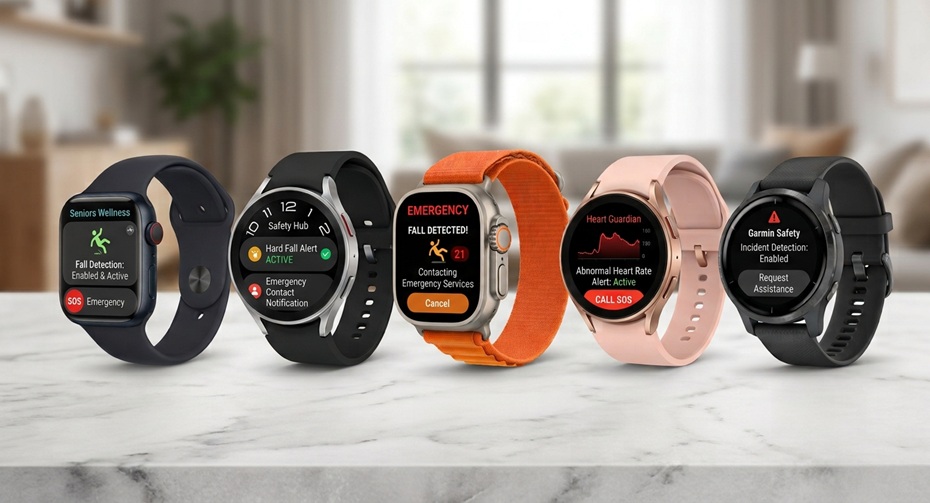
A fall is not just an accident. For older adults, it is the most common reason for an emergency room visit. The right smartwatch for seniors can call for help in seconds, even if the wearer cannot speak or reach a phone.
This guide compares five current models. Each one offers fall detection, emergency SOS, and GPS tracking. We break down pricing, battery life, comfort, and phone compatibility. We also explain how fall detection really works, and where it falls short.
Why Fall Detection Matters: The Numbers
These figures come from public health agencies, not marketing claims.
- In the US, falls are the leading cause of injury for adults ages 65 and older, and over 14 million, or 1 in 4 older adults, report falling every year.
- In 2024, 43,020 people aged 65 and older in the US died from a preventable fall, and in 2023, over 3.85 million were treated in emergency departments for fall injuries.
- Fall-related deaths among older US adults rose 51% over the past decade.
- In the UK, about one in three people over 65 fall each year, rising to about one in two for those over 85. In 2024 alone, the NHS logged over 284,280 ambulance callouts and 50,000 hospital admissions for fall-related emergencies among people over 65.
- In France, Santé publique France recorded 174,824 fall-related hospitalisations and 20,148 fall-related deaths among people aged 65 and older in 2024, up 20.5% and 18%, respectively, since 2019.
- In Germany, researchers estimate that around 5% of falls in older adults cause a fracture, and 1 to 2% cause a hip fracture, one of the most disabling fall injuries.
- Globally, falls are the second leading cause of unintentional injury death worldwide, killing an estimated 684,000 people a year, with adults over 60 suffering the greatest number of fatal falls.
These numbers explain why a medical alert smartwatch has become a mainstream purchase rather than a niche gadget.
5 Best Smartwatches for Seniors: Side-by-Side Comparison
| Model | Price (US) | Fall Detection | Cellular | GPS | Battery Life | Best For |
|---|---|---|---|---|---|---|
| Apple Watch Series 11 | From $399 (GPS) / ~$499 (Cellular) | Yes, auto SOS | Optional (5G) | Yes | Up to 24 hrs (38 hrs low power) | iPhone owners wanting an all-round pick |
| Samsung Galaxy Watch 9 | From $379 (BT) / $429 (LTE) | Yes, auto SOS | Optional (LTE) | Dual-band | ~1 to 1.5 days | Android owners wanting the newest model |
| Apple Watch Ultra 3 | From $799 | Yes, Auto SOS + satellite | Built-in cellular | Dual-frequency | Up to 42 hrs (72 hrs low power) | Solo walkers, off-grid safety, biggest display |
| Samsung Galaxy Watch 8 | From $349 (BT) / $399 (LTE) | Yes, auto SOS | Optional (LTE) | Dual-band | ~24 to 30 hrs | Budget-conscious Android households |
| Garmin Venu 4 | From $549 | Yes, fall & crash detection | None | Multi-band | Up to 12 days | Longest battery, least screen fuss |
Prices are US MSRP as of September 2026 and change often with sales. Convert or check locally for UK, EU, or other markets.
How Fall Detection Works
Every watch on this list uses the same basic science, though the exact algorithm differs by brand.
The sensors doing the work
- Accelerometer. Measures the sudden change in speed that happens during a fall.
- Gyroscope. Tracks the wrist’s rotation and orientation, helping tell a fall from a normal arm swing.
- Barometric altimeter. Detects a rapid drop in elevation, which supports the fall pattern.
- Heart rate sensor. On some models, a spike or drop in heart rate after impact provides an additional data point.
What happens after impact
- The watch detects a sudden, hard impact followed by a period of stillness.
- A silent countdown begins, and the watch checks whether the wearer moves.
- If there is no movement or response, the watch vibrates and sounds an alert.
- If the wearer does not dismiss the alert, it automatically contacts emergency services and shares GPS location.
- Chosen emergency contacts get a text with the location and a note that a hard fall was detected.
This is why an emergency SOS watch works even when the wearer is unconscious or too injured to speak. No app has to be opened, and no button has to be pressed.
Fall Detection Limitations
No fall detection system is perfect, and no manufacturer claims otherwise.
- Soft falls can go undetected. A slow slide out of a chair may not trigger the sudden-impact pattern the algorithm looks for.
- False alarms happen. Vigorous exercise, dropping the arm quickly, or a hard high-five can occasionally trigger a false alert.
- The watch must be worn snugly on the wrist. A loose band or a watch left on a nightstand cannot detect anything.
- Fall detection is not a medical diagnosis tool. It flags a physical event; it does not assess the severity of an injury.
- Connectivity is required to call for help. Without cellular service, satellite service, or a paired phone nearby, the watch cannot place an emergency call on its own.
Anyone shopping for a parent or partner should treat fall detection as one layer of safety, alongside home modifications, regular check-ins, and medical guidance on fall risk.
What Seniors Should Look For
Fall detection and SOS
Look for automatic fall detection, not just a manual SOS button. A manual-only button is useless if the wearer is knocked unconscious.
GPS and cellular connectivity
A GPS smartwatch is most important for seniors who walk, garden, or travel without their phone. Cellular connectivity lets the watch call for help on its own; a Bluetooth-only watch depends on a nearby paired phone.
Health tracking
Heart rate, sleep, and irregular rhythm notifications add day-to-day value beyond emergencies. Blood pressure and ECG features are available on several models but are not a substitute for a doctor’s examination.
Display readability
Larger fonts, high contrast, and always-on displays matter more for older eyes than raw resolution.
Comfort
Weight, band material, and clasp type affect whether someone actually wears the watch daily. A watch left in a drawer offers no protection.
Battery life
Longer battery life means fewer missed days of protection. A watch that dies overnight cannot call for help at 3 a.m.
Phone compatibility
Confirm whether the watch needs an iPhone or an Android phone, and whether a family member’s older phone will actually pair with it.
Subscription costs
Cellular plans, satellite service, and some health features carry recurring fees. Factor these into the real cost of ownership.
The 5 Best Smartwatches for Seniors in 2026
Let’s explore the best watches for seniors for fall detection and SOS calls.
1. Apple Watch Series 11 — Best Overall for iPhone Users
Price: From $399 (GPS, 42mm) to $529 (Cellular, 46mm)
The Series 11 is Apple’s mainstream flagship and the safest default pick for any senior who already owns an iPhone. For seniors who already use an iPhone, the Apple Watch Series 11 offers an easy way to add health and safety features to everyday life. Its familiar interface can make it less intimidating for older adults who are new to smartwatches. Families can also feel more confident knowing the watch can support fall detection, SOS, and emergency calling when properly configured.
It works particularly well for seniors who want to stay active while maintaining an extra layer of personal safety. Health tracking, activity insights, and emergency features all fit into one wearable, supporting independent living without making the device feel like a medical alert watch. For caregivers, that combination makes the Series 11 a strong choice when ease of use and everyday safety take priority over advanced fitness features.
Fall Detection & SOS: If the Series 11 detects a hard fall, it can automatically connect with emergency services, share the wearer’s location, and notify emergency contacts. It also offers Crash Detection for severe car accidents.
GPS & Cellular: Built-in GPS on every model. The cellular version adds 5G and lets the watch make calls, send texts, and reach emergency services without an iPhone nearby.
Health Tracking: Heart rate tracking, ECG, blood oxygen monitoring, hypertension alerts, sleep apnea alerts, and sleep tracking are all included.
Display & Comfort: Bright, easy-to-read OLED display with large-text watch faces. Lightweight aluminium case, available in two sizes for smaller wrists.
Battery Life: Up to 24 hours of normal use, extendable to 38 hours in Low Power Mode. Needs nightly charging.
Phone Compatibility: iPhone only, running a recent version of iOS.
Subscription Costs: No subscription needed for GPS models. Cellular models require a monthly carrier plan, typically $10 a month added to an existing family plan.
Verdict: The best-rounded choice for households already inside the Apple ecosystem, with the most polished emergency features on the market.
2. Samsung Galaxy Watch 9 — Best Overall for Android Users
Price: From $379 for the 40mm Bluetooth model to $459 for the 45mm LTE model, following a price increase from the Galaxy Watch 8.
Samsung’s newest watch pairs a brighter screen with the same trusted fall detection system used across recent Galaxy Watches. For seniors who want a smartwatch that feels useful every day, the Galaxy Watch 9 offers a well-rounded experience. It can help track health and activity without making the watch feel like a dedicated medical alert device. That balance can work well for older adults who want to stay active while giving caregivers some added peace of mind.
Its combination of health insights, activity tracking, and safety tools makes it suitable for seniors who value independent living. The watch can become part of a daily routine rather than something worn only for emergencies. For families comparing smartwatches for seniors, it is a practical choice when health monitoring and personal safety matter as much as regular smartwatch features.
Fall Detection & SOS: Hard fall detection sends an SOS with GPS location to emergency contacts, and can be set to call emergency services automatically or only during workouts.
GPS & Cellular: Dual-band GPS is standard, and an LTE cellular option is available for calling without a phone nearby.
Health Tracking: Heart rate, blood oxygen, blood pressure (with calibration using a compatible Samsung phone), and sleep tracking are built in.
Display & Comfort: A 1.34-inch or 1.47-inch Super AMOLED display with peak brightness of 3,000 nits makes it one of the easiest screens to read outdoors.
Battery Life: Roughly one to one-and-a-half days per charge in typical use, similar to prior Galaxy Watch generations, so daily charging is the norm.
Phone Compatibility: Android only. Some health features (blood pressure, ECG) require a Samsung Galaxy phone specifically, not just any Android device.
Subscription Costs: LTE models need a carrier data add-on line, typically $5 to $10 a month.
Verdict: The strongest Android option for seniors who want a bright, legible display and reliable fall detection without switching phone brands.
3. Apple Watch Ultra 3 — Best for Off-Grid Safety and the Biggest Display
Price: $799 in the US, £749 in the UK, and €899 in the EU
The Ultra 3 is built for outdoor use, but its satellite SOS makes it a compelling option for seniors who hike, garden far from a router, or travel to areas with patchy cell coverage. For seniors who spend a lot of time outdoors or live independently, the Apple Watch Ultra 3 offers a strong safety-focused experience. Its emergency features can provide reassurance when a family member cannot be nearby. This makes it appealing to caregivers who want another layer of personal safety without relying on a traditional medical alert device.
The bigger advantage is how the watch combines everyday health tracking with emergency communication. A senior can use it for workouts, activity monitoring, and daily routines, with access to SOS and fall detection features when needed. It is particularly suitable for active older adults who want a rugged smartwatch that supports independence while keeping emergency assistance easier to reach.
Fall Detection & SOS: Includes fall detection, crash detection, and an 86dB siren, plus satellite Emergency SOS and two-way messaging when there is no cellular or Wi-Fi signal. Apple covers two years of satellite service for new buyers at no extra cost.
GPS & Cellular: Built-in cellular on every unit, plus dual-frequency GPS for accurate positioning even in dense areas or remote terrain.
Health Tracking: Hypertension notifications and a sleep score are added to the standard heart rate, ECG, and blood oxygen tools.
Display & Comfort: The largest and brightest display Apple has put on a watch, using LTPO3 wide-angle OLED technology. The titanium case is heavier than the Series 11, which matters for smaller wrists.
Battery Life: Up to 42 hours in standard use and up to 72 hours in Low Power Mode.
Phone Compatibility: iPhone only.
Subscription Costs: Satellite SOS is free for two years, then becomes a paid add-on. Cellular service requires a standard carrier plan.
Verdict: Worth the premium for anyone who spends real time outdoors and away from Wi-Fi, thanks to satellite coverage the other watches on this list do not offer.
4. Samsung Galaxy Watch 8 — Best Value Android Pick
Price: $349 for the 40mm Bluetooth model, $399 for the 40mm LTE model, $379 for the 44mm Bluetooth model, and $429 for the 44mm LTE model.
Now a generation old, the Watch 8 regularly appears on sale and remains fully supported, making it a smart budget pick. Indeed, for seniors who already use a Samsung or Android phone, the Galaxy Watch 8 offers a familiar way to stay connected and monitor daily health. Its safety features can provide extra reassurance during walks, exercise, or when spending time alone. Caregivers can also benefit from having a wearable that supports everyday health tracking without requiring a separate medical alert device.
The watch makes the most sense for seniors who want more than basic step counting. Health insights, activity tracking, emergency features, and smartphone integration can support independent living while giving family members greater peace of mind. If an older adult is already comfortable with Android, the Galaxy Watch 8 can be an easier transition than switching to a completely different ecosystem.
Fall Detection & SOS: Users can set the watch to detect a hard fall and automatically notify emergency contacts, with adjustable countdown timers and emergency numbers.
GPS & Cellular: Dual-band GPS on all models, with an LTE version for standalone emergency calls.
Health Tracking: Optical heart sensor and BioActive sensor track heart rate, blood pressure, and sleep quality.
Display & Comfort: Super AMOLED display with a durable aluminium case, water-resistant to 50 meters and IP68 dust-rated.
Battery Life: Around 24 to 30 hours for most users, so it still needs to be charged daily.
Phone Compatibility: Android only.
Subscription Costs: LTE add-on line typically $5 to $10 a month, same as the Watch 9.
Verdict: The best-value senior smartwatch for Android households on a budget, especially now that it often sells below its original price.
5. Garmin Venu 4 — Best Battery Life
Price: Starting at $549.99 for the 45mm model and $599.99 for the 41mm model.
If you want a smartwatch you can wear without constantly thinking about charging, the Garmin Venu 4 stands out. Its long-lasting battery is especially useful for seniors who may forget to charge a device every day. It also means the watch is more likely to stay on the wrist during overnight sleep tracking, walks, and daily activities.
For caregivers, fewer charging interruptions can make wearable safety features more practical for everyday use. The Venu 4 combines health tracking, activity monitoring, sleep insights, and personal safety features in one device. Its fall and incident detection can also help provide an extra layer of reassurance when the watch is paired with a compatible smartphone. For seniors who already carry their phone, the Venu 4 offers a practical balance between battery life, health monitoring, and personal safety without making charging another daily task.
Fall Detection & SOS: Fall and crash detection are built in, and the watch sends an alert with location through a paired smartphone when a hard fall is detected.
GPS & Cellular: Multi-band GPS is standard on both sizes, but there is no cellular option. The Venu 4 always needs a paired phone nearby to send an SOS message or make a call.
Health Tracking: Wrist heart rate, Body Battery energy tracking, fitness age, stress tracking, sleep score with sleep coaching, and ECG.
Display & Comfort: A metal case with an LED flashlight and on-demand ECG, plus a 41mm size that finally gives smaller wrists a comfortable option without losing features.
Battery Life: Up to 12 days in smartwatch mode, far outlasting every other watch on this list.
Phone Compatibility: Works with both iPhone and Android.
Subscription Costs: None. Garmin Connect is free, and there is no cellular plan to budget for, since there is no cellular hardware.
Verdict: The right choice for a senior who wants days of peace of mind between charges and does not need standalone cellular calling.
Apple Watch vs Android Smartwatch for Seniors
| Factor | Apple Watch | Android (Samsung Galaxy Watch) |
|---|---|---|
| Phone required | iPhone only | Android phone (some features need Samsung specifically) |
| Setup simplicity | Very simple with iPhone’s Watch app | Simple with Samsung Health, less smooth with non-Samsung Android phones |
| Emergency SOS calling | Works even without a cellular plan, dialing local emergency numbers directly | Works the same way, dialing local emergency numbers directly |
| Display readability | Consistently bright, well-tested for outdoor visibility | Also bright, with the Watch 9 rated at 3,000 nits peak brightness |
| Family sharing setup | Apple Watch can be set up for a family member who has no iPhone at all, managed from the family organizer’s phone | Requires the senior to have a compatible Android phone, or Samsung’s Wear OS pairing on a shared account |
Neither platform is objectively safer. The right call usually comes down to which phone the senior, or their family caregiver, already carries.
Battery Life: What Actually Matters
A smartwatch that dies at bedtime cannot detect a 2 a.m. fall on the way to the bathroom. When comparing battery life:
- Daily chargers (Apple Watch Series 11, Galaxy Watch 8 and 9) need a consistent charging habit, ideally at the same time every day so the watch is never dead during waking hours.
- Multi-day watches (Apple Watch Ultra 3, Garmin Venu 4) tolerate a missed charge or two without leaving the wearer unprotected.
- Always-on displays noticeably cut battery life across all brands, so weigh readability against runtime.
- Cellular use drains the battery faster than Bluetooth-only use because the radio has to work harder to maintain a signal.
Smartwatch Battery Draining Fast? iPhone Fixes
If an Apple Watch that used to last all day is suddenly dying by mid-afternoon, work through these steps in order. Especially if the battery is draining alongside your iPhone, you must follow these fixes.
- Update watchOS and iOS. Battery bugs are common right after an update, and Apple frequently patches them quickly.
- Turn off Always-On Display temporarily in the Watch app under Display & Brightness to see if that display mode is the drain.
- Check Background App Refresh on the paired iPhone and disable it for apps the senior does not use daily.
- Turn off unnecessary complications on the watch face. Each live complication, especially weather or stocks, checks in constantly.
- Disable Wi-Fi Calling and cellular data on the watch if they are not needed, since maintaining a cellular signal consumes significant power.
- Unpair and re-pair the watch with the iPhone if none of the above helps. This resets background sync processes that can get stuck.
- Check Battery Health in the Watch app’s Battery settings. A watch more than two or three years old may need a battery replacement.
- Restart both devices. A simple reboot of the iPhone and Apple Watch can clear many temporary software issues.
If the drain persists after all these steps, a visit to an Apple Store Genius Bar or an Apple Support chat can run a full diagnostic.
Phone Compatibility and Cellular Requirements Explained
- Bluetooth-only watches need the senior’s phone within roughly 30 to 100 feet to relay calls, texts, and SOS alerts. If the phone is left at home, the watch cannot call for help.
- Wi-Fi extends that range when the watch is connected to a known Wi-Fi network, even without the phone nearby, but only inside Wi-Fi coverage.
- Cellular (LTE or 5G) watches carry their own phone number or share the phone’s number via a carrier feature, and can call, text, and reach emergency services without the phone present. This is the closest a smartwatch comes to matching a dedicated medical alert smartwatch.
- Satellite connectivity, currently available only on the Apple Watch Ultra 3 in this lineup, works outdoors with a clear view of the sky, even when no cellular tower or Wi-Fi router is within reach.
- A cellular smartwatch generally still needs its own line on a carrier plan, either as a separate line or added to the senior’s existing phone plan.
Emergency Calling: How It Actually Works
When a watch places an emergency call, whether triggered manually or by fall detection, it typically:
- Dials the local emergency number automatically, using GPS or cellular tower data to determine the correct country or region code.
- Shares the wearer’s approximate location with the dispatcher when GPS or cellular data is available.
- Sends a follow-up text to preselected emergency contacts, including a map link to the last known location.
- On watches with a speaker and microphone, allows a two-way conversation directly through the watch, even without a phone in hand.
None of the watches on this list route calls through a private monitoring centre, unlike traditional medical alert pendants. They call 911, 999, 112, or the relevant local number directly, and separately notify personal contacts.
FAQs
What is the best smartwatch for seniors with dementia?
Look for cellular connectivity so the watch can call for help without a paired phone, plus GPS location sharing that a caregiver can check remotely. None of these watches are marketed specifically for dementia care, so also consider dedicated caregiver-tracking wearables for advanced cases.
Does Apple Watch fall detection work without an iPhone nearby?
Yes, but only on the cellular model. A GPS-only Apple Watch needs the paired iPhone or a known Wi-Fi network in range to send an SOS.
Do I need a subscription for a smartwatch with fall detection?
No subscription is required for the fall detection or SOS feature itself. A subscription is only needed for a cellular plan, satellite service after the free period, or optional premium health apps.
Can a smartwatch replace a medical alert necklace?
It can cover many of the same emergencies, especially with a cellular model, but a watch depends on the wearer keeping it charged and worn. Some families use both for redundancy.
Which smartwatch has the longest battery life for seniors?
The Garmin Venu 4 leads this list with up to 12 days of battery life in smartwatch mode, well ahead of the Apple and Samsung options.
Is a Samsung Galaxy Watch or Apple Watch better for an elderly parent?
Whichever matches the phone they already carry. Setup, notifications, and family sharing all work more smoothly when the watch and phone share the same platform.
Do these watches work outside the US?
Yes, though cellular plans, satellite coverage, and emergency numbers vary by country. Check with the local carrier before buying a cellular model for someone living outside the US.
Final Take
For most families, the Apple Watch Series 11 or Samsung Galaxy Watch 9 covers everyday safety needs at a reasonable price, provided the senior already owns a matching phone. Anyone spending real time outdoors should consider the Apple Watch Ultra 3 for its satellite backup. Budget-conscious Android households can lean on the Samsung Galaxy Watch 8. And anyone who struggles to remember to charge daily is best served by the Garmin Venu 4.
Whichever model you choose, test the fall detection settings together, save real emergency contacts, and make sure the watch fits snugly enough to actually stay on the wrist.
