



YouTube is changing at full throttle, and AI content is stealing the spotlight. Gen Z and millennials mainly care about storytelling, content quality, and entertainment value on YouTube, rather than seeing the creator’s face. That is why AI-powered faceless YouTube channels are hitting the sweet spot, delivering both profit and creative freedom. However, using top-notch AI video generators for faceless YT channels is most important here, as YouTube recently cracked down on AI slop content.
So, if you want to earn from your channel without warnings, a balance of human input and premium AI tools is key. Once you choose niches like AI, finance, tech, gaming, motivation, or documentaries, it is important to contribute directly by writing scripts, adding voiceovers sometimes, or managing editing. Similarly, you should use AI video creation tools strategically to monetize your channel without triggering platform flags.
Best AI Video Creators for Faceless YouTube Channels
The use of AI video creation tools is growing rapidly, not just among content creators but also among marketers and brands. A recent report from Grand View Research estimates that the AI video generator market will reach USD 3.44 billion by 2033, growing at a CAGR of 20.3%.
Let’s dive into the top AI video platforms that stand out from the crowd, delivering creativity and quality without the cookie-cutter AI output.
1. Runway
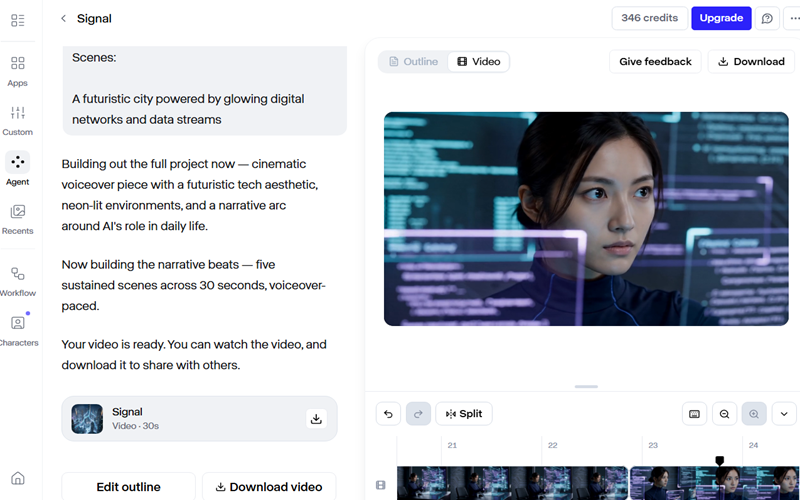
Runway stands out as a cutting-edge image-to-video and text-to-video AI tool for producing cinematic faceless YouTube content, AI B-roll, and story-driven videos. Powered by multiple AI models, including Gen-4.5, GWM-1, and Seedance 2.0, Runway delivers highly cinematic and visually polished outputs. Especially for highly realistic AI actor performances with convincing movement, synced dialogue, and detailed expressions, Seedance 2.0 is hard to beat.
The Seedance 2.0 model in Runway allows creators to use text prompts, image prompts, and even image or video references to generate high-quality AI videos for YouTube. In the same way, Gen-4.5 excels with enhanced creative customization and visually immersive AI-generated outputs. When it comes to editing, the Aleph model in Runway offers creators a powerful set of tools, allowing them to transform locations, adjust weather conditions, switch seasons, and even change the time of day.
On the other hand, if you want to bring your ideas to life with a unique AI avatar while steering clear of cookie-cutter AI content, Runway Characters hits the nail on the head. These interactive AI characters excel at realistic gestures, accurate lip-syncing, and natural human expressions. In short, with cinematic camera controls, polished VFX, and reliable video generation, Runway checks all the boxes for TikTok clips, YouTube Shorts, short films, and AI character content.
Is Runway Free?
The Free plan gives users a small taste of the platform, offering 125 one-time credits that cover roughly 25 seconds of Gen-4 Turbo image-to-video generation. However, if you switch to the Standard package, you get 625 credits per month for text-to-video and image-to-video models, along with Aleph and 100GB of asset storage. The Standard program costs $15/user/month. For custom voices for lip-sync and text-to-speech functionalities, you can move to the Pro plan, which costs $35 per user per month.
Pros
- You can access the most advanced AI video generation models in one place.
- Runway’s AI Academy allows you to enroll in different courses for free.
Drawbacks
- Runway has a steep learning curve, making it less accessible to beginners and everyday YouTube creators.
2. HeyGen
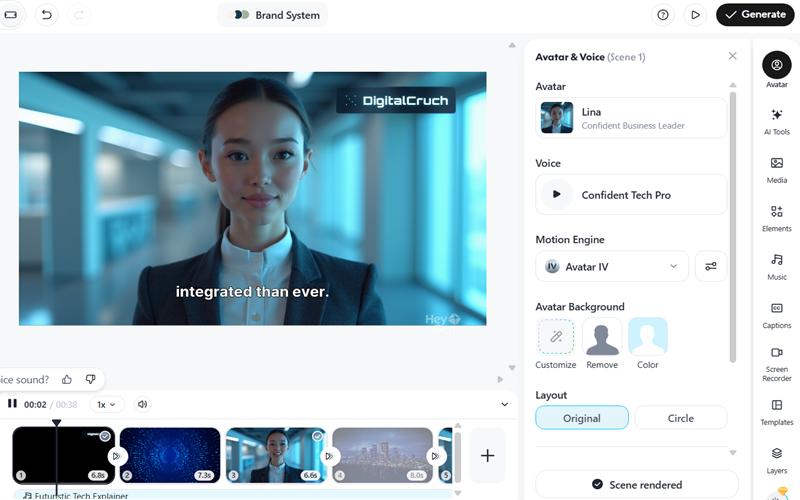
HeyGen is a solid starting point for beginners looking to enter YouTube automation without a steep learning curve. Indeed, HeyGen is a reliable choice for turning scripts and images into avatar-based videos, even without advanced editing skills. When it comes to use cases, HeyGen is well-suited for creating educational, storytelling, motivational, and multilingual content channels.
HeyGen delivers video creation up to 10x faster and supports 175+ languages for accurate, well-synced translations and audio dubbing. In simple terms, it helps you go global and turn your channel into a stronger income stream. Even though HeyGen includes a large library of multicultural avatars, creators can still design custom avatars to stand out and avoid low-quality AI output.
This AI platform consistently improves its video quality with each update. With lifelike AI characters, smooth audio syncing, and an easy-to-use interface, HeyGen ticks all the right boxes. Pairing it with tools like ChatGPT and Adobe makes the entire creative process run like clockwork. Its podcast generator and face swap features are also game-changers in the world of video automation.
Is HeyGen Free?
HeyGen provides a free tier so users can test the platform before upgrading. The free tier allows users to create one video with over 500 stock photo avatars and export the final output in 720p resolution. However, if you want access to the full experience and advanced features, upgrading to the Creator plan is essential; it starts at $29 per month. This plan pulls out all the stops, offering unlimited AI videos, voice cloning, watermark-free exports, 1080p quality, lip-synced translations, and a full suite of advanced AI tools.
Pros
- HeyGen is an easy-to-use AI video tool designed for beginners and non-tech users.
- Compliance with global frameworks like GDPR, SOC 2 Type II, CCPA, the AI Act, and DPF helps safeguard your data at every level.
Drawbacks
- While powerful, HeyGen may feel expensive for budget-focused creators.
- In terms of control and flexibility, it falls behind Runway and Adobe.
- AI avatars feel unrealistic, especially in longer videos.
3. Google Veo 3
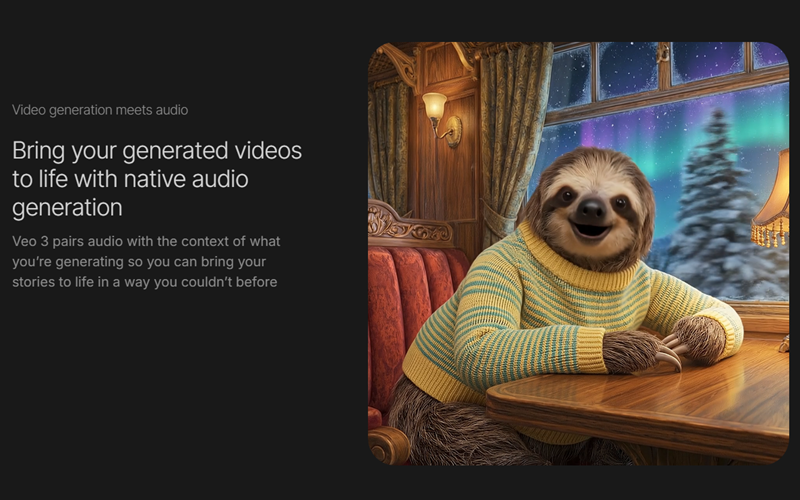
Google Veo 3.1 is a jack-of-all-trades AI video generator that crafts premium-quality, highly realistic videos. Supported by Google, this AI tool excels in producing short films, narrative-driven content, and fantasy visuals. Mainly, if you are aiming for realistic physics, cinematic effects, clean background audio, and natural lip-syncing, Google Veo 3.1 stands out as one of the leading options, right after Seedance 2.0.
Correspondingly, for creators producing short-form content on a budget, especially where B-roll drives the narrative, Google Veo 3 is a strong option. Its current release supports 4 K resolution alongside landscape 16:9 and portrait 9:16 aspect ratios. This compact AI film studio supports text, image, and audio inputs to produce videos complete with dialogue, SFX, and background music.
When it comes to using this automation tool, the Gemini App and Google Flow stand out as the top options. For YouTube creators, it is a no-brainer to go with Google Flow, especially when paired with Google Veo 3 through Pro or Ultra plans for top-tier content creation. Google Vids also works well for creators exploring Google Veo 3. However, when it comes to serious cinematic filmmaking, it doesn’t quite go the distance.
Is Google Veo 3 Free?
Unlike most AI video tools, Google Veo 3 currently has no free plan. You must have a Google AI subscription for this. Google AI Pro starts at $19.99 per month and includes access to Flow with 1,000 monthly credits. For higher usage limits, creators can upgrade to Google AI Ultra, which increases the monthly allowance to 25,000 credits.
Pros
- It brings everything under one roof, combining Flow, Vertex AI, Gemini App, and Google Vids into a unified ecosystem for creators.
- One of the key advantages of Google Veo 3 is its relatively moderate learning curve.
Drawbacks
- The platform only supports 8-second Shorts, which may not suit every content style.
- It is not the ideal choice for daily faceless automation channels, as the workflow can be time-consuming and expensive for many creators.
- Its level of realism is so strong that, in certain cases, it may cross into deepfake territory.
4. Pictory
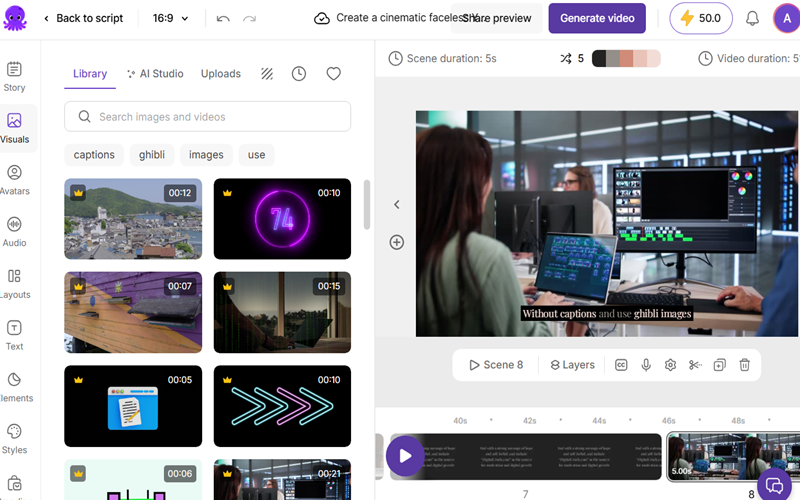
Pictory makes video creation a breeze, helping creators turn scripts, PPTs, URLs, Images, articles, and blog posts into polished AI videos with visuals, captions, avatars, and realistic voiceovers. It is best suited for YouTubers working in niches such as tech blogs, celebrity news, AI tools, education, and top-10 style videos that rely heavily on captions. You can start your YouTube channel with Pictory without needing filming equipment, camera skills, or a steep learning curve.
This browser-based tool lets users create videos in minutes using either their own voiceovers or AI-generated narration. Access to 15,000 music tracks and more than 3 million images and video clips also helps creators bring their ideas to life without skipping a beat. Pictory is also well-known among YouTubers for offering auto-captioning in multiple widely spoken languages, including English, French, Chinese, Russian, and German.
Another advantage of Pictory is its ability to generate AI voiceovers in over 29 languages using ElevenLabs technology. On this front, refined accent support across major languages gives Pictory a clear leg up in the competition. When it comes to customization, its video editor is beginner-friendly and easy to use. You can create tailored branded kits, templates, visuals, and voiceovers in just a few clicks. So, if you are aiming to go local and expand your audience reach, Pictory is a smart pick.
Is Pictory Free?
Pictory gives you a two-week window to test the waters. Here, you can create up to 15 minutes of AI-generated videos in total, with a 5-minute limit per video, and export them at 720p. The Starter plan costs $29 per user and offers 200 minutes of video creation, 60 minutes of AI voiceovers, and 5GB of storage. For expanded capabilities, the Professional plan costs $59 per user per month, while the Team plan is $199 per month for 3 users.
Pros
- A lightning-fast, scalable AI video tool that anyone can use, no tech skills needed.
- Users get access to an extensive media collection with 18 million videos from Storyblocks and Getty Images.
Drawbacks
- Unlike tools like Runway, Pictory does not create original AI-generated scenes; instead, it works with existing media.
- Its videos often exhibit weaker lip-syncing, limited emotional expression, and less realistic physics than those of cinematic AI models.
5. Adobe Firefly
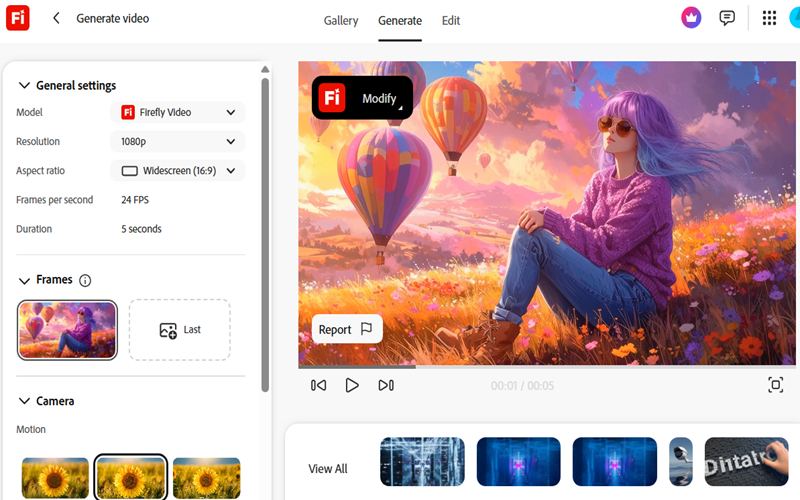
If you are already in the Adobe ecosystem, Adobe Firefly fits right into the workflow for image-to-video and text-to-video creation. Mainly, YouTube creators who want commercially safe, polished AI videos with cinematic B-roll and filler footage should consider using Adobe Firefly. In this regard, alongside its native Firefly Video Model, the platform also integrates with external AI models such as Gemini 3, FLUX, Luma AI Ray 3, Topaz Labs Astra, OpenAI GPT, and ElevenLabs.
Its text-to-avatar feature is also a big plus for faceless YouTubers looking to bring scripts to life without appearing on camera. Adobe Firefly goes beyond polished visuals and realistic lip-syncing by letting creators reshape avatars for different occasions without breaking immersion. In addition, its ability to turn a single image into detailed 2D and 3D AI videos also helps it stand out from the crowd.
Contrarily, its browser-based editor could also be very helpful for novice creators. You can modify videos for multiple square, vertical, and horizontal formats, and change their backgrounds with a click. On top of that, Adobe Firefly keeps the workflow smooth with auto captions, translated AI voiceovers, and lightning-fast creation speeds.
Is Adobe Firefly Free?
Unfortunately, Firefly doesn’t offer any truly free plan to its users. The Adobe Firefly Standard plan costs $9.99 per month and includes 2,000 generative credits, 200 sound effects, and up to 6 minutes of translation for both video and audio content. However, higher-tier Adobe Firefly subscriptions unlock integrations with external models such as Veo 3.1, Kling 2.5 Turbo, and OpenAI Image 1.5.
Pros
- Firefly is an intuitive online video editor backed by the full strength of Adobe Creative Cloud.
- It supports education users with lower-cost subscriptions and a range of practical tutorials.
Drawbacks
- When it comes to consistency, realism, and cinematic storytelling, Adobe Firefly still has some catching up to do compared to Sora, Runway Gen-4, and Veo.
- While Adobe Firefly is built around brand-safe content, that promise can start to blur when third-party models enter the picture.
Comparison Table for the Best AI Video Generator for Faceless YouTube Channels
| Tool | Best For | Free Plan | Voiceover | Pricing |
| Runway | Cinematic AI videos, Shorts, creative storytelling | 125 one-time credits (limited generation) | Yes (text-to-speech, voice cloning, audio sync) | ~$15–$35/month |
| HeyGen | Avatar-based explainer, motivational & educational videos | 1 video with 500+ stock avatars/assets | Yes (AI voices + cloning + lip-sync) | ~$29/month |
| Google Veo 3 | Ultra-realistic cinematic clips & short films | No free plan (Google AI subscription required) | Yes (native audio, SFX, dialogue sync) | ~$19.99/month (Pro plan) |
| Pictory | Script/blog-to-video automation, faceless channels | 2-week trial (15 min total, 5 min/video, 720p export) | Yes (AI voiceover, 29+ languages) | ~$29–$59/month |
| Adobe Firefly | Fast B-roll, branded social media content | No true free plan (only limited credits) | Yes (via Adobe tools like Premiere/Express) | ~$9.99–$19.99/month |
Free or Paid AI Video Tools: What Works Best for YouTube Creators?
Free AI text-to-video tools are useful for beginners looking to experiment and start a YouTube channel with minimal investment. They eliminate many of the traditional obstacles tied to video production and content creation. Free tools can help you get started, but for polished videos, real growth, and monetization, premium platforms like Runway, Veo 3.1, and HeyGen are where the rubber meets the road.
It is important to understand that paid AI video generators alone do not guarantee success or greater reach for creators. You need creative storytelling, humanized scripts, a smart content strategy, and consistent publishing to succeed.
Can You Monetize AI-Generated Videos on YouTube?
Yes, AI-generated videos can still make money on YouTube in 2026. However, the days of effortless “AI cash cow” channels are slowly running out of steam. A recent YouTube crackdown on AI-sloppy content led many low-quality automation channels to lose monetization.
This does not mean you can’t monetize AI content. If you bring originality, use your own scripts, create unique AI characters, and avoid repetitive or inauthentic content, you significantly improve your chances of monetizing your AI channel smoothly. In addition, it is crucial to avoid repetitive templates, stock footage paired with AI voiceovers, copied scripts, and bulk-generated content that lacks originality.
FAQs
Is YouTube okay with AI videos?
YouTube is fine with AI content as long as it adds real value and doesn’t fall into low-effort, repetitive, copied, or spammy territory.
What are the best AI video generators for YouTube creators for easy monetization?
When it comes to YouTube monetization, it is less about the tool you pick and more about how you use it. Hereof, for cinematic Shorts, Runway and Veo take the lead, while Pictory is better for straightforward, script-based explainer content. Contrarily, HeyGen is great for bringing avatar-based content to life, while Adobe Firefly keeps visuals clean, safe, and brand-ready alongside multiple graphic design tools.
At the end of the day, monetization still comes down to originality and storytelling, especially with YouTube tightening its stance on repetitive AI content.
Are free AI video generators worth using?
Partially yes, but only to a certain extent. Free versions of Pictory, Runway, and HeyGen are good for experimentation but come with limitations, such as watermarks and reduced quality.
Can faceless YouTube channels actually make money?
The answer is ‘yes’. Indeed, faceless channels can still make money through affiliate links, ads, and sponsorships, as long as the content keeps viewers engaged and stays consistent.
Do you need editing skills to start a faceless AI channel?
No, most AI tools do the heavy lifting for you so that beginners can get started without any editing background.
What types of content drive the most success on faceless channels?
Faceless channels often do well with list-based videos, animation-driven storytelling, motivational content, financial topics, and educational explainers because these formats are simple to automate and engaging.
Which AI tool gives realistic voiceovers?
HeyGen and ElevenLabs help create more lifelike and realistic AI voiceovers.
Final Words
AI video tools are transforming how content is created, especially for faceless YouTube channels. Tools like Pictory, Runway, Adobe Firefly, Veo 3.1, and HeyGen are making it easier than ever to create videos quickly and with more creative freedom.
But success doesn’t come from tools alone. Ultimately, it is not the tools but the non-repetitive ideas, storytelling, and consistency that determine success. Free AI video generators are good for getting started, but creators who mean business usually move to paid versions for better quality and control.
At the end of the day, AI doesn’t replace creativity; it just helps you move faster. Those who pair smart storytelling with the right tools will always stay ahead of the curve.
