


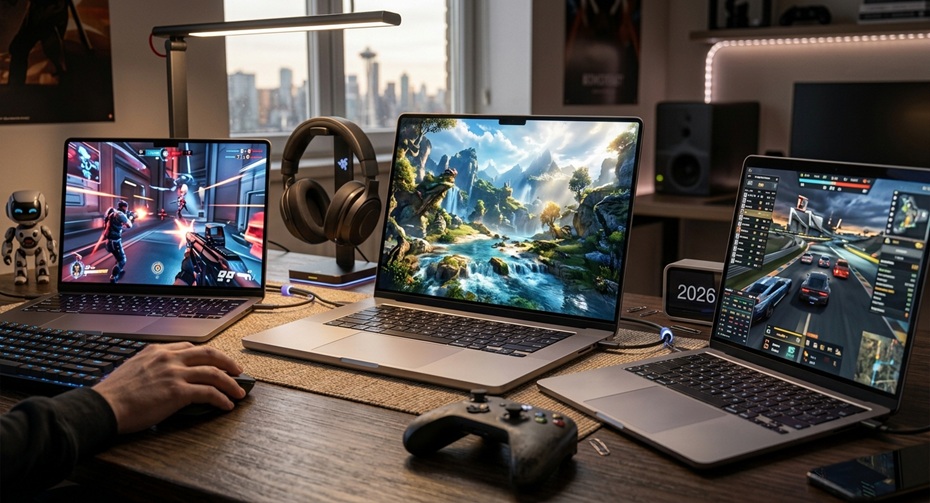
Gaming on a MacBook used to sound like a joke. Ask any PC gamer from five years ago, and they’d laugh you out of the room. Fast forward to 2026, and that joke has quietly become a legitimate conversation. Apple silicon now runs Cyberpunk 2077 with ray tracing turned on, Resident Evil 4 at high frame rates, and Baldur’s Gate 3 without a single stutter. So the real question isn’t “can a MacBook game” anymore. It’s “which MacBook should you actually buy for gaming in 2026?”
This guide breaks down the three chips everyone keeps asking about: the base M5, the M4 Pro, and the new M5 Pro. We tested real benchmark data, compared pricing, checked battery behaviour under load, and even looked at how these chips handle emulation for older console libraries. No fluff, no marketing spin, just the numbers and the honest take you need before you spend two grand on a laptop.
Quick Verdict: Which Chip Wins for Gaming?
If you want the short answer before diving into specifics, here it is. The M5 Pro delivers the best overall gaming value in 2026, thanks to its beefed-up GPU cores and improved thermal design. The base M5 surprises everyone with punchy ray-traced performance for its price tier. The M4 Pro remains a strong budget pick if you can find one on sale, though it now sits a full generation behind in raw graphics muscle.
Let’s unpack why, because the story gets a lot more interesting once you look under the hood.
Meet the Chips: A Quick Refresher
Before comparing frame rates, you need context on what changed architecturally. Apple didn’t just bump clock speeds this year. The M5 generation introduces real structural shifts that matter specifically for gaming workloads.
Apple M5 (Base Chip)
The standard M5 launched in October 2025 inside the 14-inch MacBook Pro. This is one of the ideal MacBooks for gaming; it ships with a 10-core CPU and a 10-core GPU on most configurations, built on a refined process node. Apple added a Neural Accelerator to every single GPU core this generation, and that detail matters more than it sounds. Neural Accelerators speed up AI-driven upscaling techniques like MetalFX, which directly boosts in-game frame rates.
Apple M4 Pro
The M4 Pro dropped back in November 2024 and still powers plenty of MacBooks sitting on store shelves today. It packs up to a 14-core CPU paired with a 20-core GPU, along with up to 48GB of unified memory. For its time, it handled AAA titles reasonably well, though it lacked the Neural Accelerator architecture that defines the newer chips.
Apple M5 Pro
Announced in March 2026, the M5 Pro represents the biggest jump in this comparison. It comes with an 18-core CPU and a 20-core GPU, built using Apple’s new Fusion Architecture. This design splits the CPU and GPU into separate dies while keeping unified memory intact, providing greater thermal headroom and scalability. Apple claims graphics performance jumps by up to 35 percent in ray-traced applications compared to the M4 Pro.
Full Specs Comparison Table
| Feature | Apple M5 | Apple M4 Pro | Apple M5 Pro |
|---|---|---|---|
| CPU Cores | Up to 10 | Up to 14 | Up to 18 |
| GPU Cores | Up to 10 | Up to 20 | Up to 20 |
| Neural Accelerator per GPU core | Yes | No | Yes |
| Unified Memory (max) | 32GB | 48GB | 128GB |
| Process Node | 3nm (refined) | 3nm | 3nm (Fusion Architecture) |
| Ray Tracing Support | 2nd gen | 2nd gen | 3rd gen |
| Starting Price (14-inch) | $1,599 | ~$1,999 (discontinued pricing) | $2,199 |
| Release Date | October 2025 | November 2024 | March 2026 |
| Ports | Thunderbolt 5 | Thunderbolt 5 | Thunderbolt 5, Wi-Fi 7 |
Notice how the M5 Pro leaps ahead in unified memory ceiling. That extra headroom matters a lot once you load texture-heavy open-world titles that eat RAM for breakfast.
Real Gaming Benchmarks: The Numbers That Matter
Specs on paper only tell half the story, so let’s look at actual gameplay data. Cyberpunk 2077 has become the unofficial stress test for Apple silicon, since it pushes ray tracing harder than almost any other native Mac title.
Cyberpunk 2077 Frame Rate Comparison
| Chip | Ray Tracing Off (avg FPS) | Ray Tracing High/Ultra (avg FPS) |
|---|---|---|
| M4 Pro (16-inch) | 65.8 | 38.8 (4K) / ~55-60 (1080p) |
| M5 (14-inch, active cooling) | 75+ | Around 60 in optimized runs |
| M5 Pro (14-inch) | ~87 | ~46 (Psycho RT settings) |
These numbers come from independent reviewers running native macOS builds with MetalFX upscaling enabled. The M5 Pro clearly pulls ahead once you disable the heaviest ray-tracing presets, hitting numbers that rival those of mid-range Windows gaming laptops. Turn ray tracing all the way up, though, and every chip takes a hit. That’s expected, since path tracing remains brutal even on dedicated Nvidia hardware.
One Gizmodo reviewer testing the M5 Max, a step above the M5 Pro, reported loading Cyberpunk 2077 at Ray Tracing Ultra settings and achieving around 50 fps at a moderately high resolution. They compared that result directly to gaming laptops running a mobile RTX 5080. That’s a genuinely impressive milestone for a fanless-adjacent thin laptop chip.
Other Popular Titles Worth Checking
Baldur’s Gate 3 runs beautifully across all three chips, since it doesn’t lean heavily on ray tracing by default. Resident Evil 4 and Resident Evil Village both run smoothly on M4 Pro and above, typically maintaining 60 fps at 1080p with high settings. Death Stranding, a long-time Apple Silicon showcase title, comfortably hits triple-digit frame rates on the M5 Pro at native resolution.
If you’re chasing competitive shooters, keep expectations realistic. Valorant and Counter-Strike still run best through Windows or via CrossOver, and native support remains inconsistent across titles.
What About Older Console Games?
Here’s where things get interesting for anyone with a backlog. Many gamers still own physical libraries from the PS4 era, and many wonder whether a MacBook can bridge that gap. The honest answer involves emulation and streaming rather than native ports.
RPCS3 handles PS3 titles decently on Apple silicon, and PS4 emulation through tools like the experimental shadPS4 project has improved throughout 2025 and 2026, though it remains unofficial and inconsistent. Realistically, most people who want their PS4 library on a MacBook rely on PlayStation’s cloud streaming service via a browser. That approach sidesteps emulation headaches entirely and works fine on any of these three chips, since streaming barely taxes the GPU.
If native PS4 game files matter to you specifically, a MacBook won’t replace your console yet. Treat these chips as excellent native and Windows-game machines first, with console streaming as a nice bonus feature rather than a core selling point.
Battery Life Under Gaming Load
Apple markets big battery numbers, but gaming drains a laptop’s battery faster than everyday browsing. We looked at real-world reports rather than marketing claims here.
The base M5 MacBook Pro claims up to 24 hours of battery life under light use, though gaming sessions realistically cut that down to roughly 3 to 4 hours depending on the title and brightness settings. The M4 Pro behaves similarly, draining the battery quickly once the GPU spins up for ray-traced scenes. The M5 Pro, despite packing more cores, actually manages heat and power a bit smarter thanks to its Fusion Architecture, though independent testers haven’t found a dramatic efficiency leap yet. One reviewer even measured slightly lower Cinebench points per watt on the base M5 than on the M4, so don’t assume every generation automatically sips less power.
Interestingly, this pattern echoes something iPhone owners already know well. Apple’s flagship phones often show impressive standby battery life claims, yet heavy gaming or intensive apps like Genshin Impact or Call of Duty Mobile drain an iPhone’s battery noticeably faster. Apple silicon shares underlying efficiency cores across iPhone and Mac, and both platforms show the same gap between marketed battery life and actual sustained gaming performance. If you’ve noticed your iPhone’s battery health dropping after months of graphics-heavy mobile gaming, expect a similar wear pattern on any MacBook you push hard for gaming daily.
Thermal Performance and Fan Noise
Nobody talks enough about heat, yet it directly affects your frame rates during long sessions. The base 14-inch M5 model without active cooling in certain configurations throttles noticeably during extended Cyberpunk sessions. Reviewers recorded frame-rate drops after 20 to 30 minutes as the chassis heated up.
Models with proper fan-based cooling, including the M4 Pro and M5 Pro configurations, sustain performance far longer. Fan noise stays moderate under gaming loads, definitely audible but nowhere near the jet-engine sound profile of many Windows gaming laptops. If sustained frame rates matter to you more than silence, always choose a fan-equipped configuration over the passively cooled entry models.
Price-to-Performance Breakdown
Let’s talk money, since that ultimately drives most buying decisions. Nobody wants to overspend on cores they’ll never use.
| Chip | Starting Price | Best For | Value Rating |
|---|---|---|---|
| M5 | $1,599 | Casual gamers, indie titles, students | ★★★★☆ |
| M4 Pro | Often discounted, refurbished from $1,499 | Budget buyers wanting Pro-tier CPU power | ★★★☆☆ |
| M5 Pro | $2,199 (14-inch) | Serious gamers wanting AAA titles with ray tracing | ★★★★★ |
The M4 Pro still makes sense financially if you find a refurbished or open-box deal, especially through Apple’s Certified Refurbished store or major retailers during sales events. But paying full retail for an M4 Pro in late 2026, when the M5 Pro exists at a similar price bracket, doesn’t make much sense anymore.
Should You Wait for M5 Max or M5 Ultra Instead?
Apple also introduced the M5 Max and, for Mac Studio, the M5 Ultra this year. These chips push graphics performance even further, with the M5 Max reaching a 40-core GPU configuration. For gaming specifically, though, the jump from M5 Pro to M5 Max costs an extra $1,400 or more for gains that mostly matter in professional rendering and AI workloads rather than gaming frame rates. Unless you’re also editing 8K footage or training machine learning models, the M5 Pro delivers nearly identical gaming results for considerably less money.
Who Should Buy Which MacBook?
Different gamers have different priorities, so let’s match chips to actual use cases rather than pretending one size fits all.
Choose the base M5 if you mainly play indie titles, turn-based RPGs, or older AAA games, and you want to save serious money. It handles Stardew Valley, Hades II, and even moderately demanding titles like Control without complaint.
Choose the M4 Pro only if you find one at a steep discount, and you don’t mind missing the latest ray-tracing improvements. It still crushes productivity tasks and handles most 2023-2024 era games comfortably.
Choose the M5 Pro if gaming sits high on your priority list and you want a machine that plays modern AAA titles with ray tracing enabled at playable frame rates, while also crushing video editing, coding, and creative workloads.
Frequently Asked Questions
Is a MacBook actually good for gaming in 2026?
Yes, more than ever before. Native macOS game libraries have grown substantially, and popular titles like Cyberpunk 2077, Resident Evil 4, and Death Stranding all run natively with solid frame rates on M5 and M5 Pro chips.
Can I play Steam games on a MacBook?
Many Steam titles now offer native macOS versions, and tools like CrossOver let you run a large portion of the Windows Steam library, though performance varies title by title.
Does the M5 Pro support ray tracing better than M4 Pro?
Yes, the M5 Pro uses third-generation ray tracing hardware, delivering up to 35 percent better ray-traced performance compared to the M4 Pro according to Apple’s own benchmarks.
Will a MacBook replace my PS4 or PS5? Not entirely. Native PS4 emulation remains experimental and inconsistent, so most people rely on PlayStation’s cloud streaming app in a browser rather than local emulation.
How much RAM do I need for gaming on a MacBook?
16 gigabytes is the bare minimum, but 24GB or more prevents stuttering in memory-hungry titles like Cyberpunk 2077, especially with ray tracing enabled.
Does gaming affect MacBook battery health long term?
Heavy, sustained GPU use generates heat, and heat gradually degrades battery capacity, similar to what iPhone users experience after months of graphics-intensive mobile gaming.
Is the base M5 MacBook Pro worth it for casual gaming?
Absolutely, especially if your library leans toward indie games, strategy titles, or older AAA releases rather than the newest ray-traced blockbusters.
Should I buy M5 Pro or wait for M5 Max?
Unless you also need heavy video rendering or AI training power, the M5 Pro delivers nearly identical gaming performance at a significantly lower cost than the M5 Max.
Final Thoughts
Apple silicon has genuinely closed the gap with dedicated gaming hardware, and 2026 marks the year that gap became hard to ignore. The M5 Pro currently stands as the smartest overall pick for anyone serious about gaming performance, blending strong ray-tracing capabilities with excellent everyday usability. The base M5 remains a fantastic budget entry point, while the M4 Pro only makes sense at a discount now that newer silicon exists at similar price points.
Whichever chip you land on, remember that game compatibility, not just raw horsepower, still shapes your actual experience. Check whether your favourite titles offer native macOS support before assuming benchmark numbers will translate directly to your library. Do that homework first, and any of these three MacBooks will reward you with genuinely surprising gaming performance in 2026.